Chapter 5: Using the Driver Control Panel 33
Flow
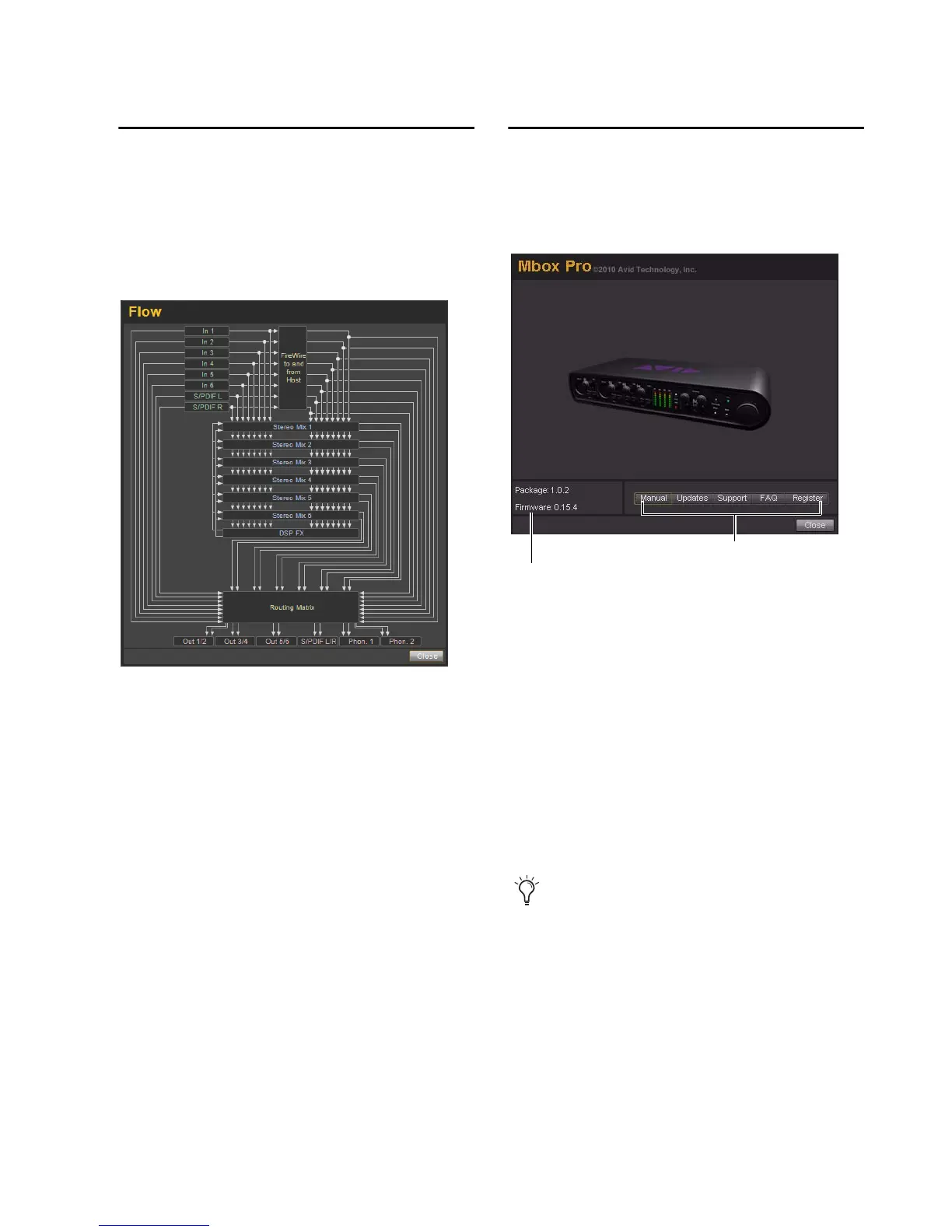
Clicking the Flow button opens a display show-
ing the signal flow from the inputs to the out-
puts of Mbox Pro. This is a useful reference for
understanding the path of an audio signal flow-
ing through Mbox Pro.
About
The About pop-up menu lets you view the firm-
ware version of the Mbox Pro hardware, and the
package version of the Mbox Pro driver installer.
Accessing the Web Links
Along the bottom-right of the Driver Control
Panel you can easily access helpful online re-
sources on our Avid website (www.avid.com) by
clicking on the following pop-up menus:
•Manual
•Updates
• Support
•FAQs
•Register
Clicking on any of the “Web links” will
open your web browser. Your computer must
have Internet access for these pages to load.











 To Next Page