Artist Series and Pro Tools12
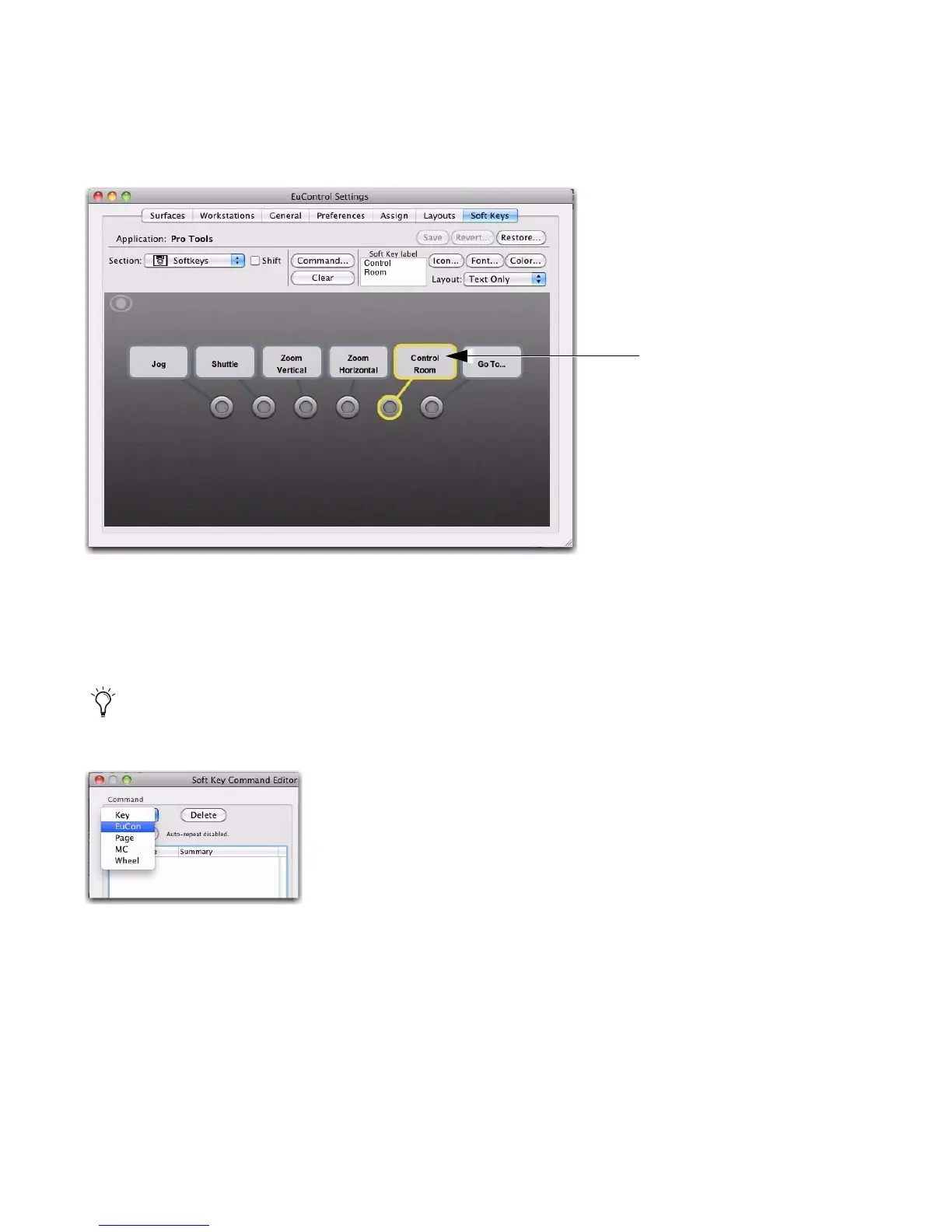
4 Select the key you want to customize by clicking it on-screen, or pressing it on the controller. For
example, select Soft Key 5 Control Room.
5 Click the Clear button near the center of the window. The Soft Key label box clears, showing no cur-
rent assignment. This clears any previous assignments, making it easier to re-assign the control.
6 Click the Command button. The Soft Key Command Editor window opens.
7 Click the Add button in the Command menu and choose EuCon.
With a Command added to (or selected in) the Command List, choices appear in the Details area. In
our example, the Details area lists Key Commands, Project, and Transport.
8 Click Transport in the Details area. Choices for Transport appear in the next Details list.
A Soft Key selected in the EuControl Settings window
You can double-click a Soft Key to go immediately to the Command Editor.
Adding a EuCon command in the Soft Key Command Editor













 To Next Page