User’s Manual
3
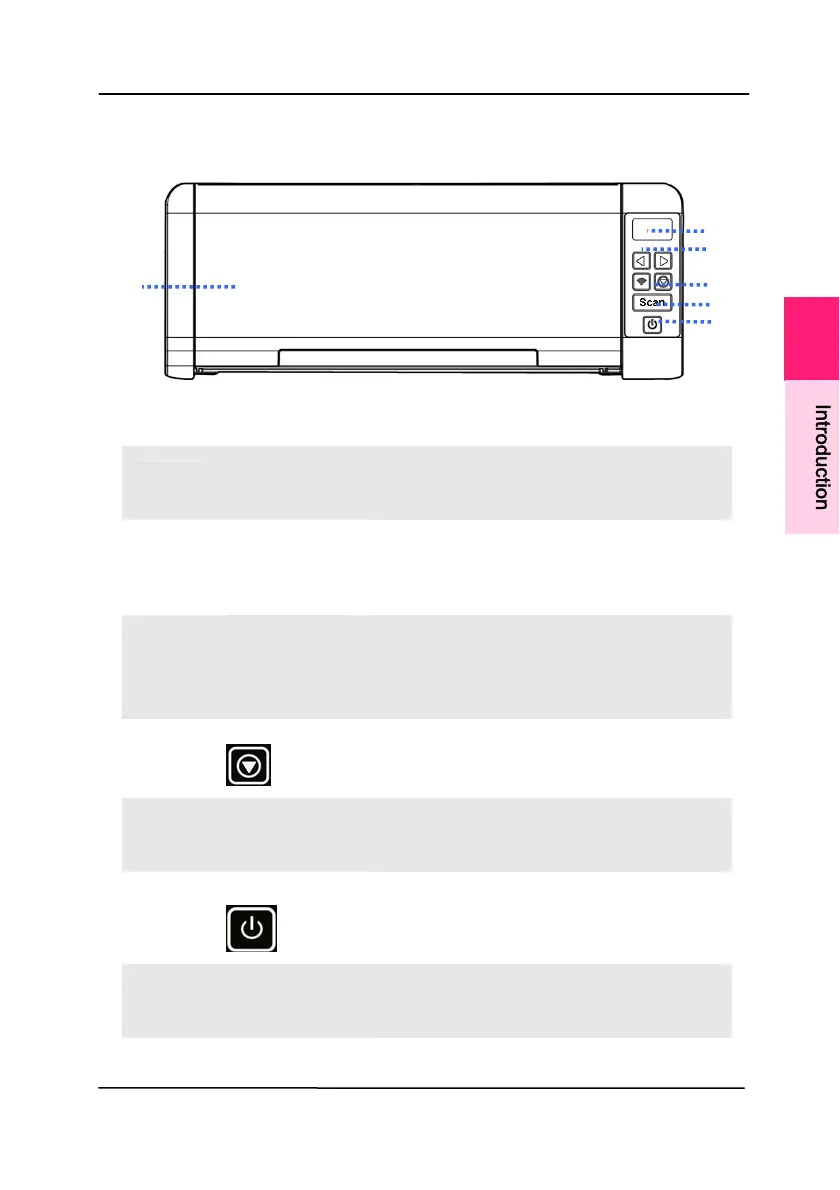
1.2 Front View
ITEM NAME DESCRIPTION
1
LCD
Display
Displays the function button via
the software application - Button
Manager V2.
2
Right/Left
Arrow
Used to scroll right and left to
select your function button via the
software application - Button
Manager V2.
3
Wi-Fi
button
Press 2 seconds to turn on or
off the Wi-Fi connection.
Flash in blue to indicate Wi-Fi
connection is ready.
4
Cancel
Press to cancel a scanning job
during operation.
5
Scan Press to start a scan via the
software application - Button
Manager V2.
6
Power
Press to turn on the power.
7
ADF Paper
Tray
This tray is used for feeding
documents. Open it when
scanning documents.
/
1
I
n
t
r
o
d
u
c
t
i
o
n



 To Next Page