User’s Manual
141
Select to scan the front side (simplex) or
both the front side and the rear side (duplex)
of your document.
Choice: *Simplex, Duplex
Note: The duplex mode is available to scan
from the auto document feeder only.
Color Mode: Select your desired image mode.
Choice: *Color, B&W, Gray
* Default settings
4. Load a page to the auto document or place a page on the
flat bed.
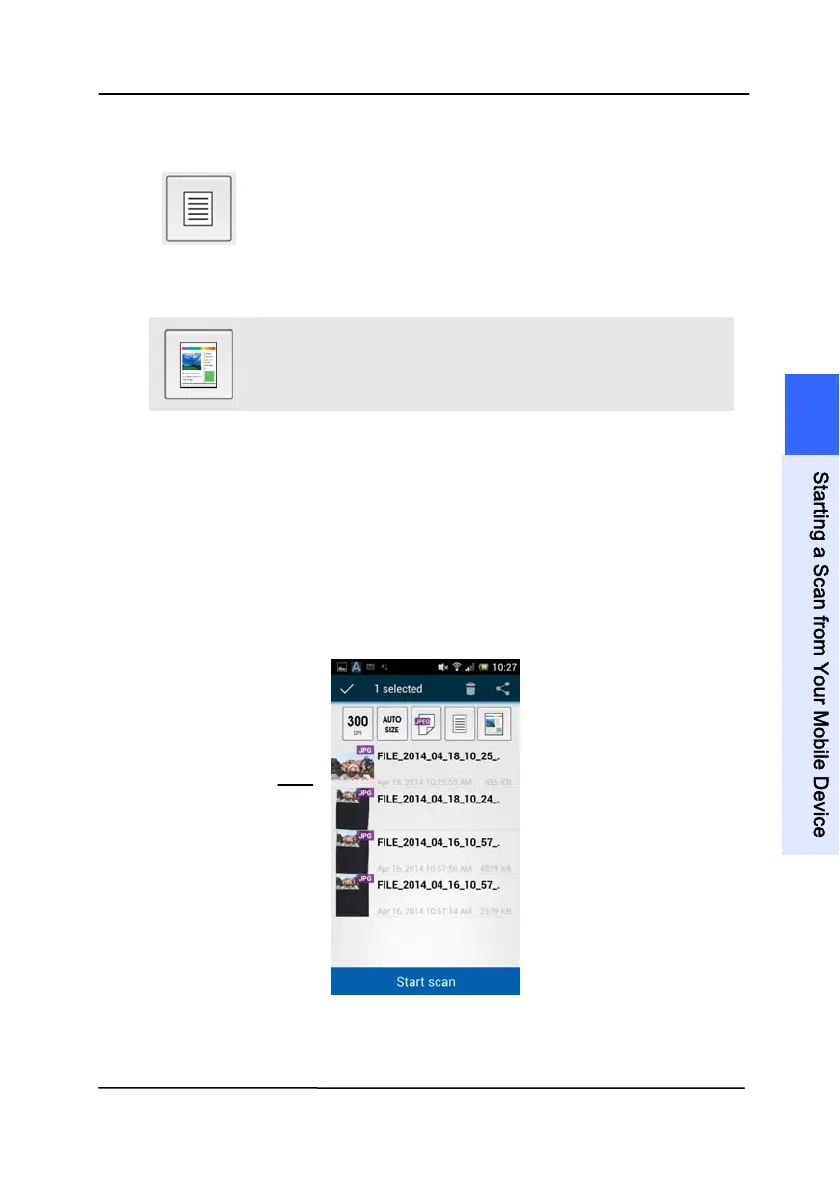
5. Tap the [Start scan] button. (Choose your scanner if there
is more than one scanner connected to the network). In a
second, the scanner begins scanning the document and the
thumbnail scanned image will be displayed.
6. Tap the thumbnail image to view the entire image.
The
Thumbnail
Image
7
S
t
a
r
t
i
n
g
a
S
c
a
n
f
r
o
m
Y
o
u
r
M
o
b
i
l
e
D
e
v
i
c
e



 To Next Page