Configuring the Printer’s Driver
47
Copies
Choose the number of copies to be printed. You can enter up to 999.
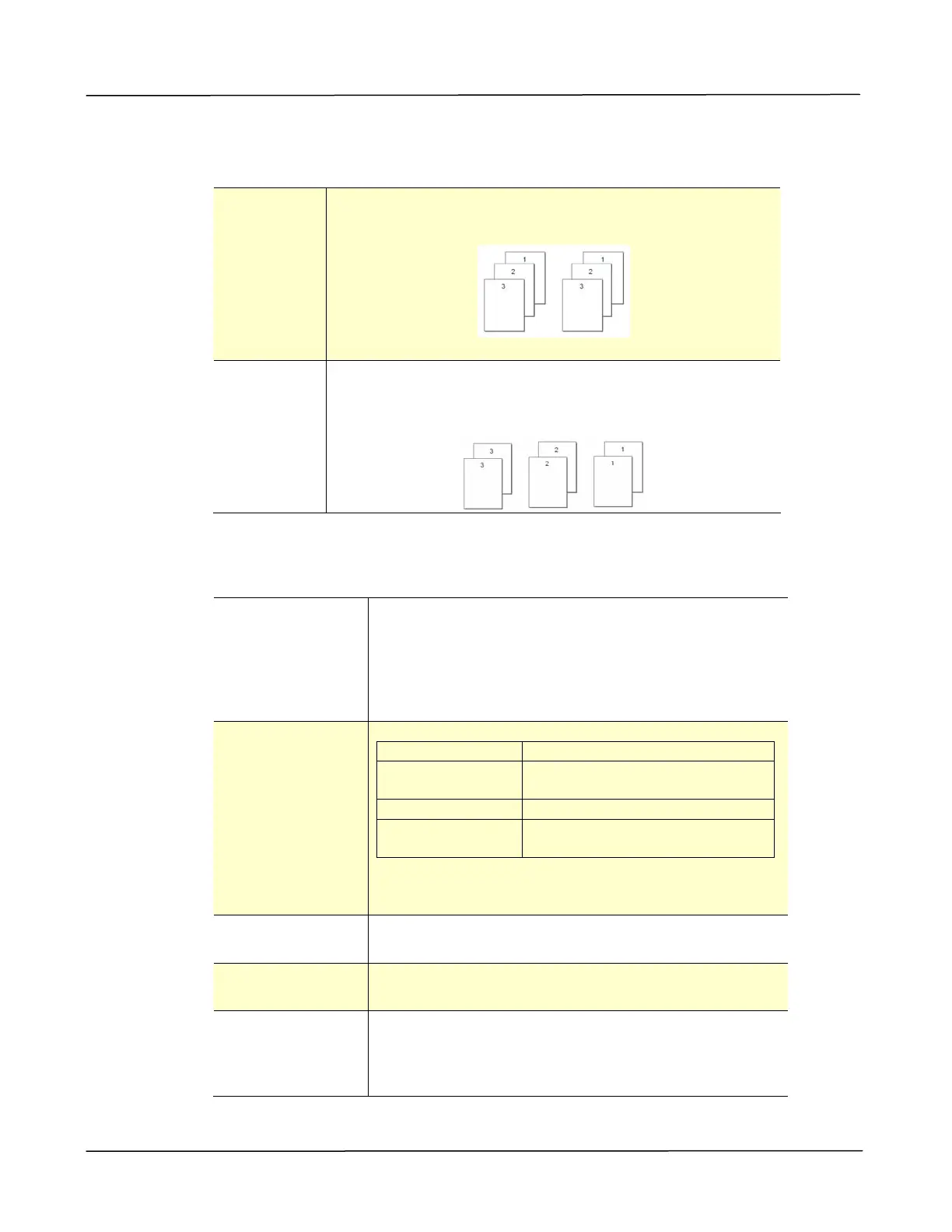
Collate: Click to print your document in the page order such as
1/2/3, 1/2/3, 1/2/3.
N to 1: Click to reverse the printing order of your document.
As a result, the last page of your document will be
printed first and vice versa.
Effect
Resolution:
Choice: *600 dpi, 1200 dpi HQ *Option varies
due to your printer mode.
600 dpi: for normal document.
1200 dpi/2400 dpi: Choose 1200 dpi/2400 dpi
Standard/2400 dpi Fine if you wish to enhance the
print quality.
Print Settings:
Normal: Normal mode.
**Picture Mode: Suitable for your document
containing pictures.
*Text as Black: Print color text in pure black.
**Enhance
Text:
Make the text bold.
** These features are only available for GDI
printer language.
Density: Click to lighten or darken your document. Density
level (1~7). Default: 3
Toner Save: Allows you to print your document using the toner
saving mode.
Invert: Invert makes each image pixel inverted to its
complementary color. For example: the original
black text on white background becomes white
text on black background.
*Factory Default


 To Next Page