User’s Guide
86
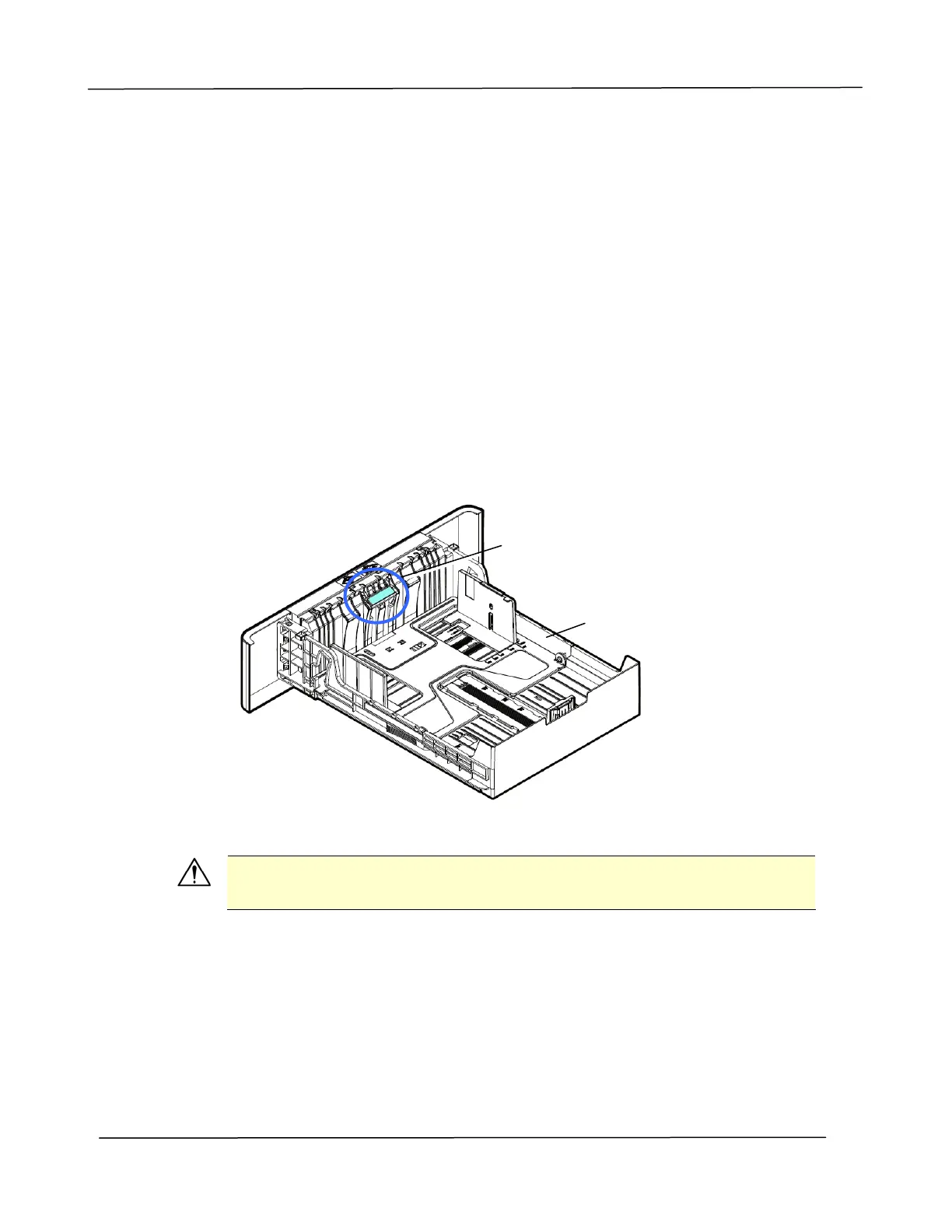
Cleaning the Pad in the Cassette
If the Pad in the Cassette is smeared with paper powder or dirt or every 30K copies,
paper may not feed smoothly or noise occurs during paper feeding. Follow the
procedure below to clean the Pad in the Cassette.
You need to prepare: cotton swab
1. Remove all paper in the cassette.
2. Moisten a cotton swab with isopropyl alcohol (95%). If accidentally use too much
alcohol, be sure to wring out the damp cloth
3. Clean the rubber part of the pad.
Important:
After cleaning the smeared Pad, dry it completely.
Cassette
Pad



 To Next Page