Maintaining the Product
87
Cleaning the Drum Unit
If the drum unit is smeared with paper powder or dirt, the print out may appear
defective image of regular interval. Follow the procedure below to clean the drum unit.
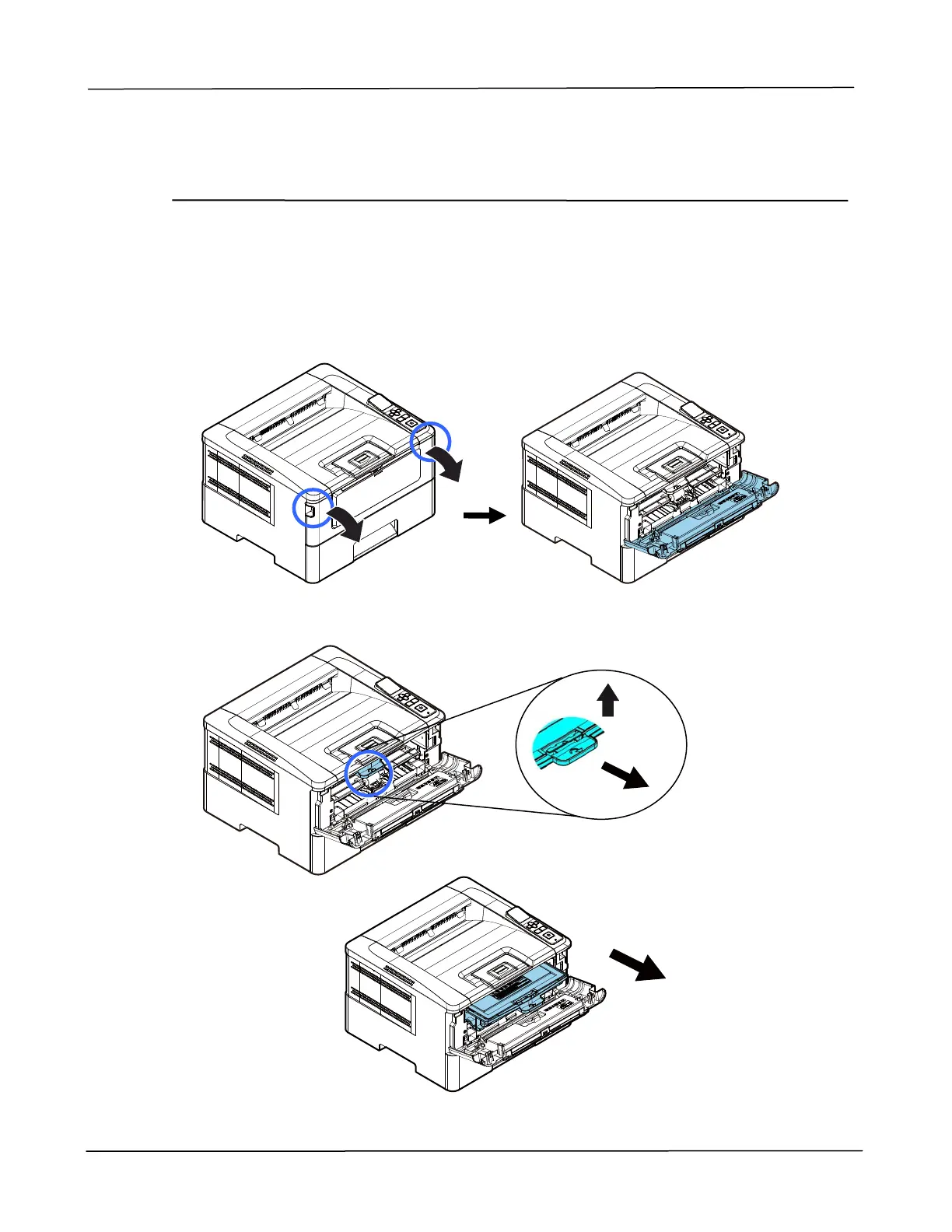
1. Turn off the power and remove the power cord from the power outlet.
2. Open the front cover by pulling the handles on both sides as shown.
3. Lift the handle of the drum unit and toner cartridge assembly and gently remove
the assembly.



 To Next Page