User’s Guide
70
Getting Printer Status Details
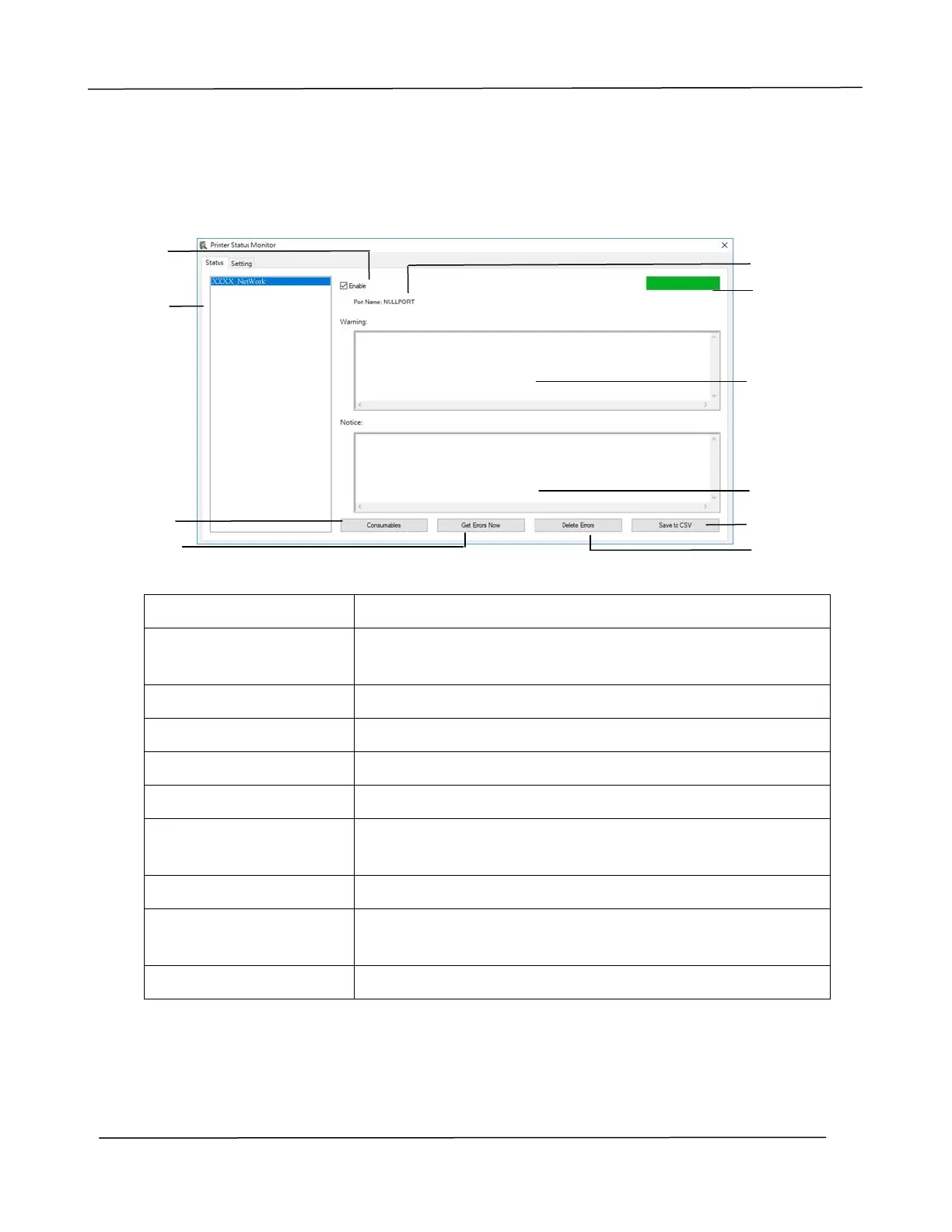
You can monitor printer status and get information on consumable products using
the Printer Status Monitor dialog box.
a Port Name Port name for the specified printer.
b Progress Bar The progress bar to access the latest data of the specified
printer.
c Text Box Display the warning message.
d Text Box Display the notice message.
e Save Errors to CSV Save error message to a CSV file.
f Delete Errors Delete all the error messages.
g Enable Check the box to enable accessing the status of a
specified printer.
h Printer Display connected printers.
i Consumables Click to show the information of the paper tray and the
consumables parts such as Drum(EP), Toner.
j Get Errors Now Refresh the printer status now.
a
b
c
d
e
f
g
h
i
j



 To Next Page