User’s Guide
46
Configuring Printer Driver Settings
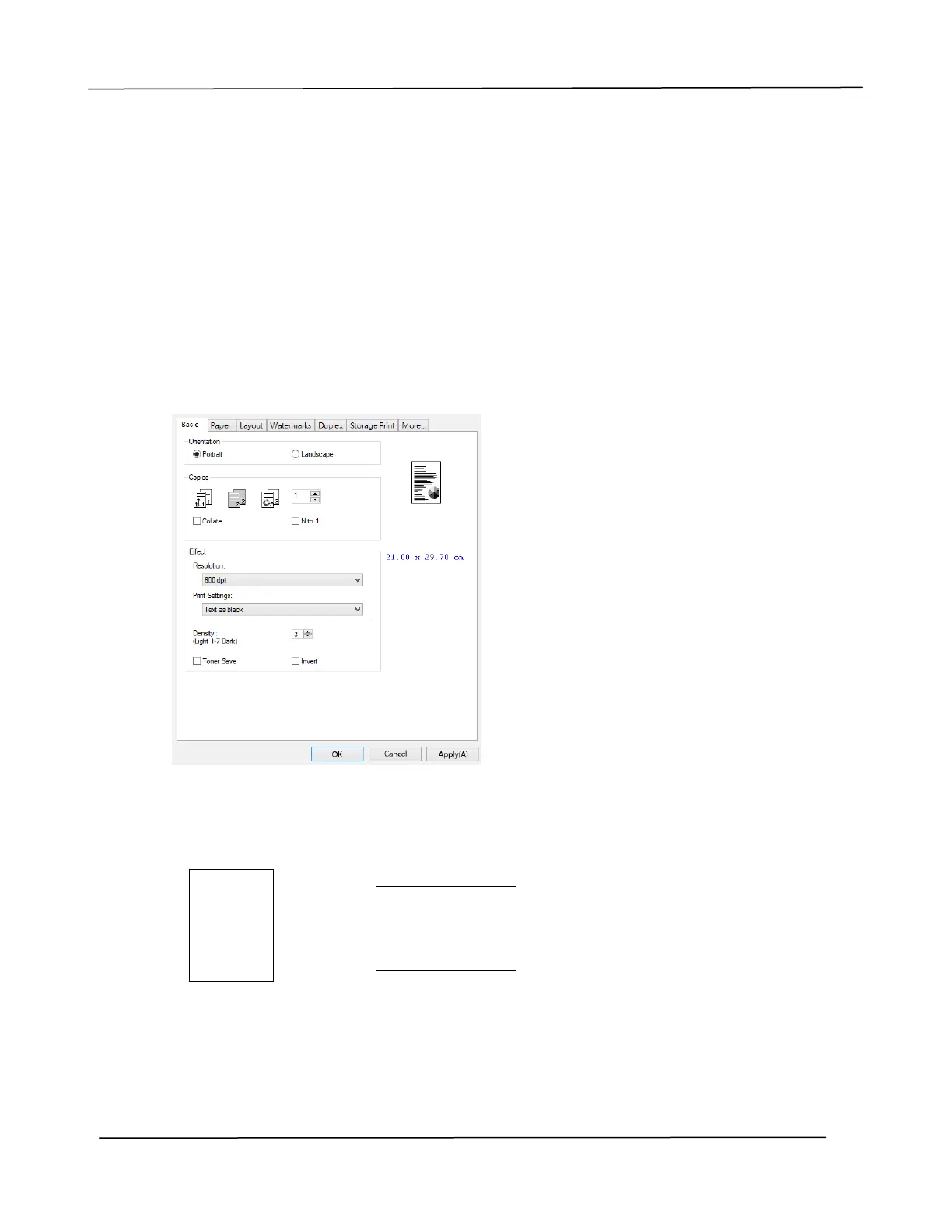
The Printing Preferences dialog box consists of the Basic tab, the Paper tab, the Layout
tab, the Watermark tab, the Duplex tab, and the More tab. The contents of each tab
will be explained in the following sections.
The Basic Tab
The Basic tab contains settings for Orientation, Copies, Effect, Density, Toner Save, and
Invert.
Orientation
Choose your orientation. Choice: *Portrait, Landscape
Portrait
Landscape
*Factory Default
ABC
ABC


 To Next Page