User’s Guide
90
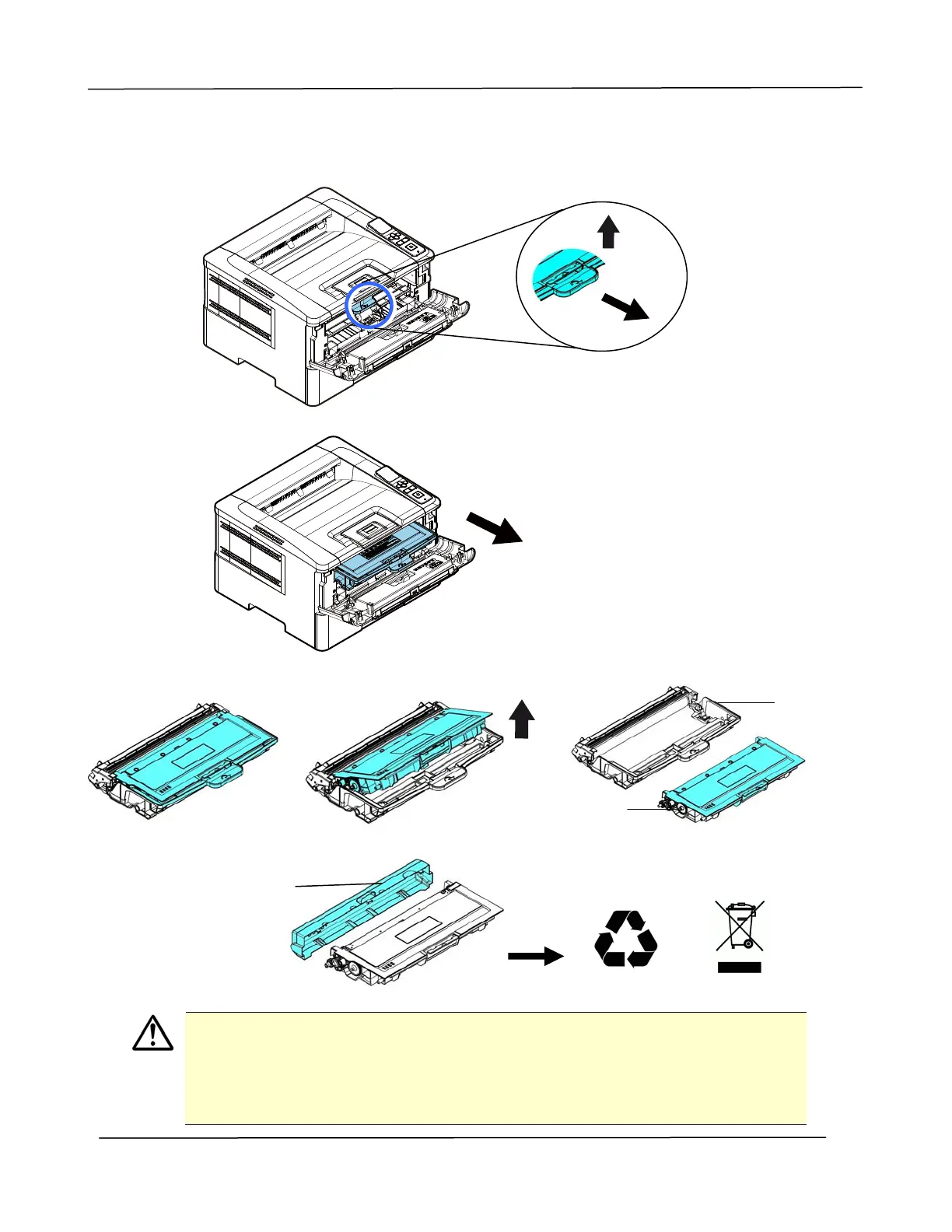
3. Lift the handle of the drum unit and toner cartridge assembly and gently remove
the assembly.
4. Remove the toner cartridge from the drum unit as shown.
Important!
Do not dispose of the toner cartridge. Put the used toner cartridge into the
bundled plastic bag, and then return it to a dealer or service
representative. The latter recycles or deals with the collected toner
cartridges in accordance with the relevant regulations.
Drum
Toner
Cartridge
Protective
Cover



 To Next Page