User’s Manual
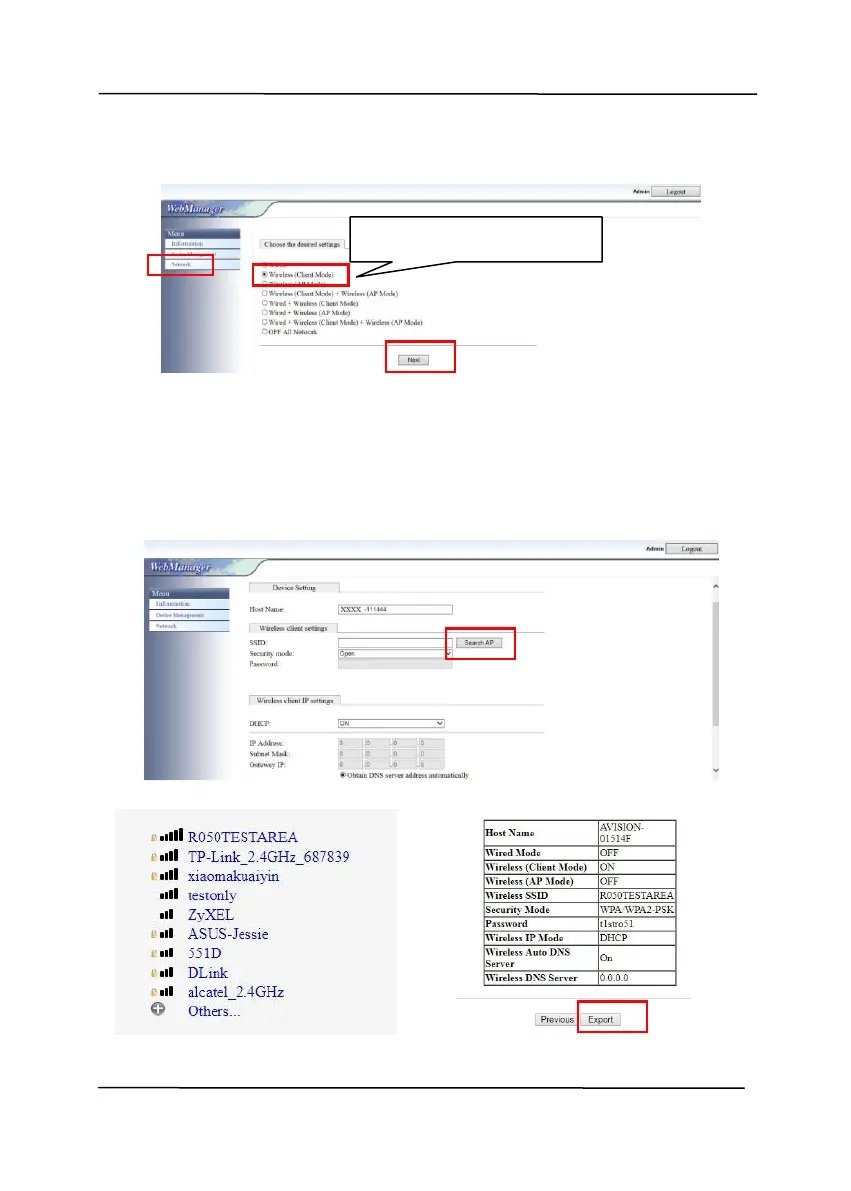
5. Select [Network]>[Wireless (Client Mode)] and then
click [Next] in succession.
6. Click [Search AP]. A list of available access points
(hotspots) will be displayed. Click the access point you
want to connect and then enter your security mode and
password, and then click [Next]. A summary of the access
point will be displayed as shown in below.



 To Next Page