User’s Manual
2.7 Connecting to the Network Scanner
Before connecting to the network scanner, make sure that
Virtual Scanner Link (Network Setup Tool) has been installed
onto your computer. The Network Setup Tool is included in the
supplied software CD.
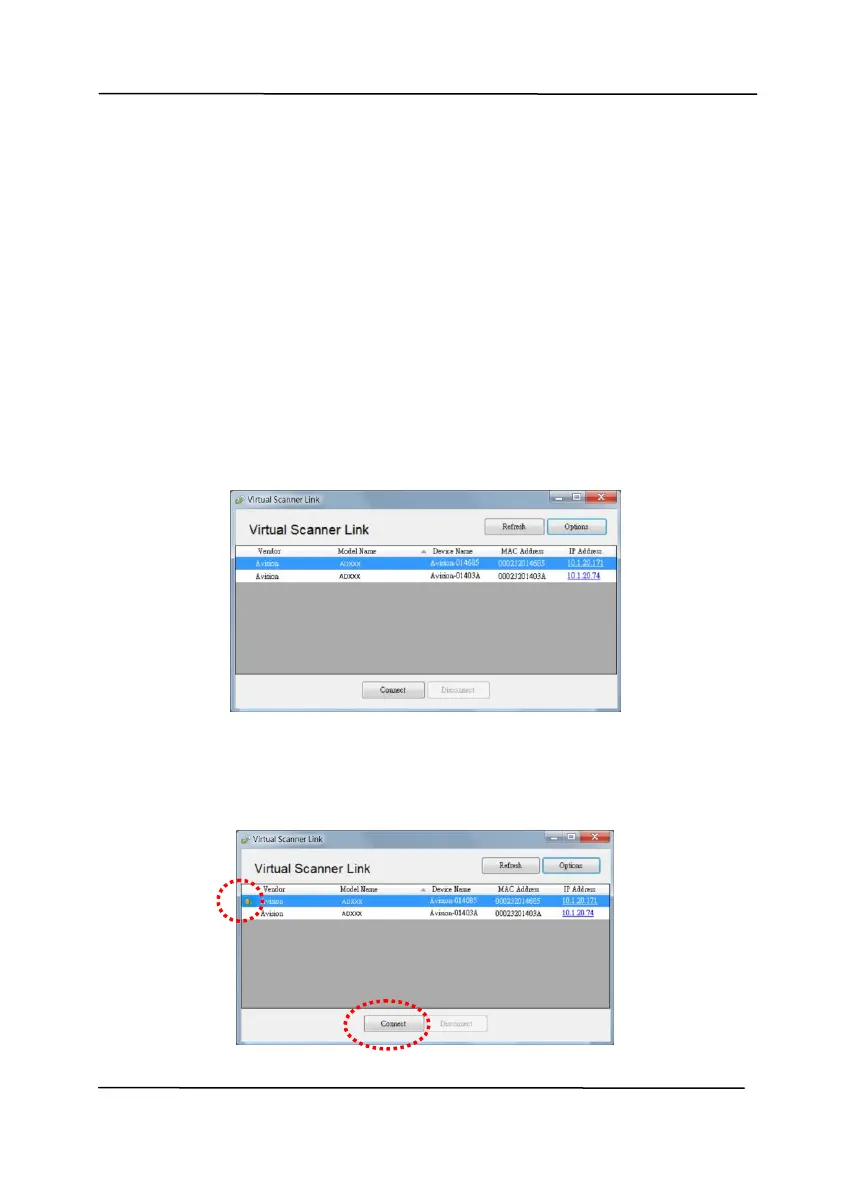
1. Start [Virtual Scanner Link] by choosing Start>All
Programs>Avision Virtual Scanner>Virtual Scanner
Link. The main window will be displayed and the scanners
in your network will be searched automatically. In a few
seconds, the result including the scanner model and
scanner’s IP address will be displayed as shown.
2. Choose the scanner you wish to connect and then press
[Connect]. If connection is successful, a connection mark
will be displayed as shown.



 To Next Page