User’s Manual
8.4 Cleaning the Glass
If there is vertical streaks appear on the scanned image, it is
possible that the glass may be dirty. Please clean the glass to
clear the streaks.
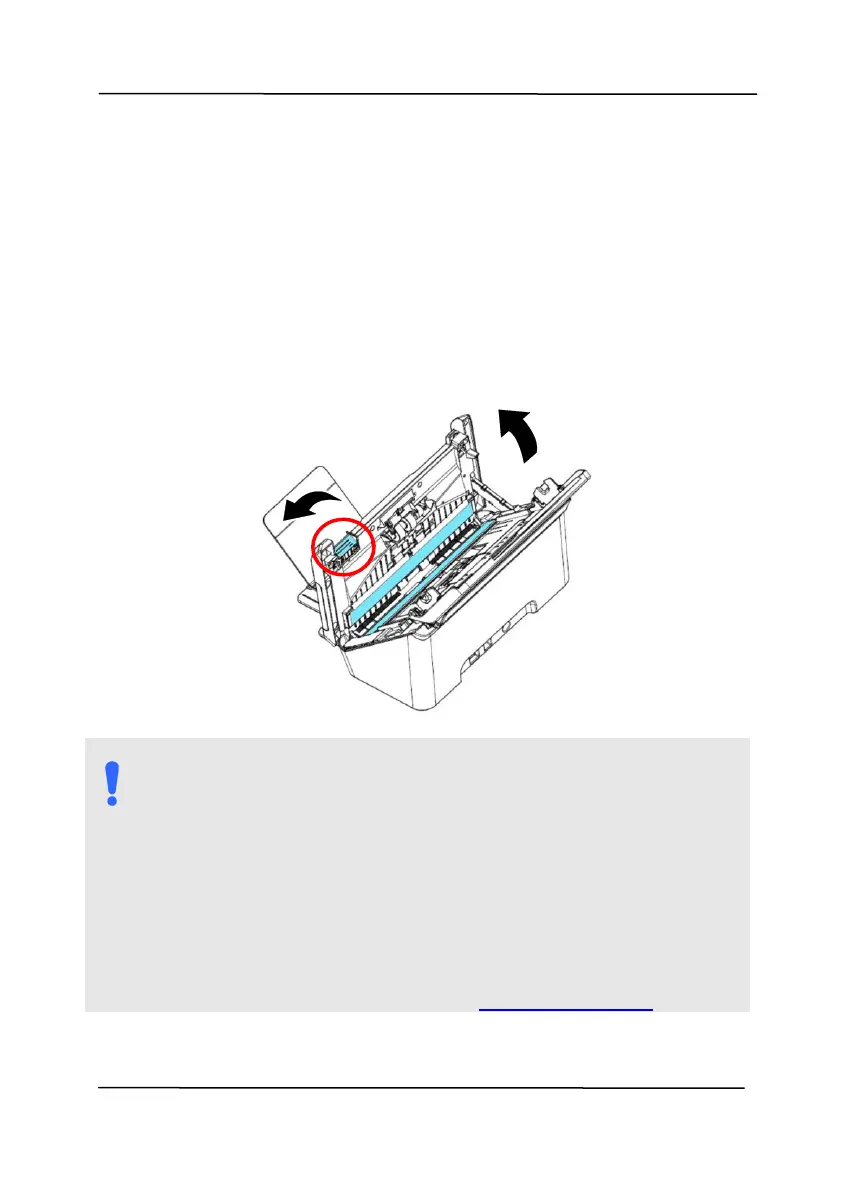
1. Open the front cover to the left.
2. Wet a clean cloth with some isopropyl alcohol. (95%)
3. Wipe the glass and the white area as illustrated in below to
rid the dust or dirt.
Warning:
Do not clean the inside of the scanner with water or a
mild detergent.
Do not spray the glass cleaner directly on the glass. If
too much glass cleaner is applied, the cleaner could
leak under the glass and damage the scanner.
Make sure there are no staples or paper clips on the
surface of your document, otherwise the glass may be
damaged.
When cleaning, be careful not to snap or damage the
arm sensor. See Section 8-1 Cleaning the ADF.



 To Next Page