IFU-00367 Rev A
B.
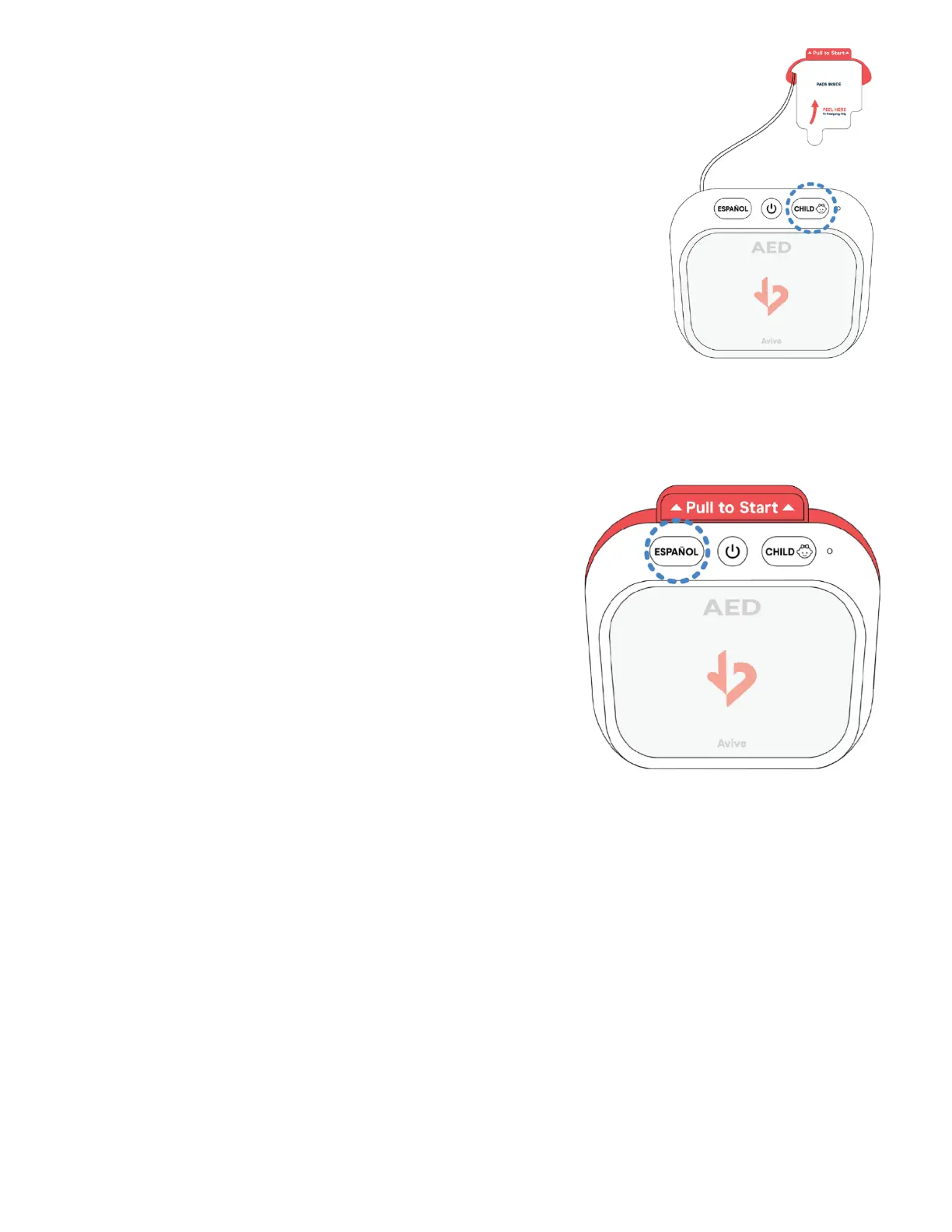
Child Mode - For Children Press the Child Button.
The Avive AEDä will power on in Adult Mode. If the patient is a
child under 8 years old or under 55 lbs., make sure to switch the
Avive AED to Child Mode by pressing the Child Button.
When switched to Child Mode, the device will verbally indicate
“Now in Child Mode,” and the Child Button will light up. To switch
back to Adult Mode, press the Child Button again.
C.
Spanish Mode
The Avive AED will provide audio instructions in English Language
by default. If Spanish language is preferred, switch the Avive AED
to Spanish Language by pressing the Español Button.
When switched to Spanish Language, the device will verbally
indicate in Spanish that it is in Spanish mode, and the Español
button will light up. To switch back to English language, press the
Español Button again.



 To Next Page