IFU-00367 Rev A
C.
Checking Status
To check the status of your Avive AEDä, press and hold the Power Button on the device for 5 seconds. The
device will verbally tell you its status.
D.
Speaker
The Avive AED will periodically produce audible beeps when the device determines that it needs attention.
When cartridges are installed or removed from the Avive AED, it will provide an audible announcement.
7. Troubleshooting
If your device’s Status Light is blinking red and/or beeping, press and hold the Power Button on the device for
5 seconds. The device will verbally tell you what is wrong.
Battery Low – The Avive AED has a rechargeable battery, and over time the device’s battery will drain
if it is not connected to a charger. As soon as the Avive AED indicates that it has a low battery, the
device should be connected to the Aviveä USB Power Adapter with the Avive USB Charging Cable to
recharge.
Important: The Avive AED is still safe to use with a Low Battery. A charged AED should be
used if available.
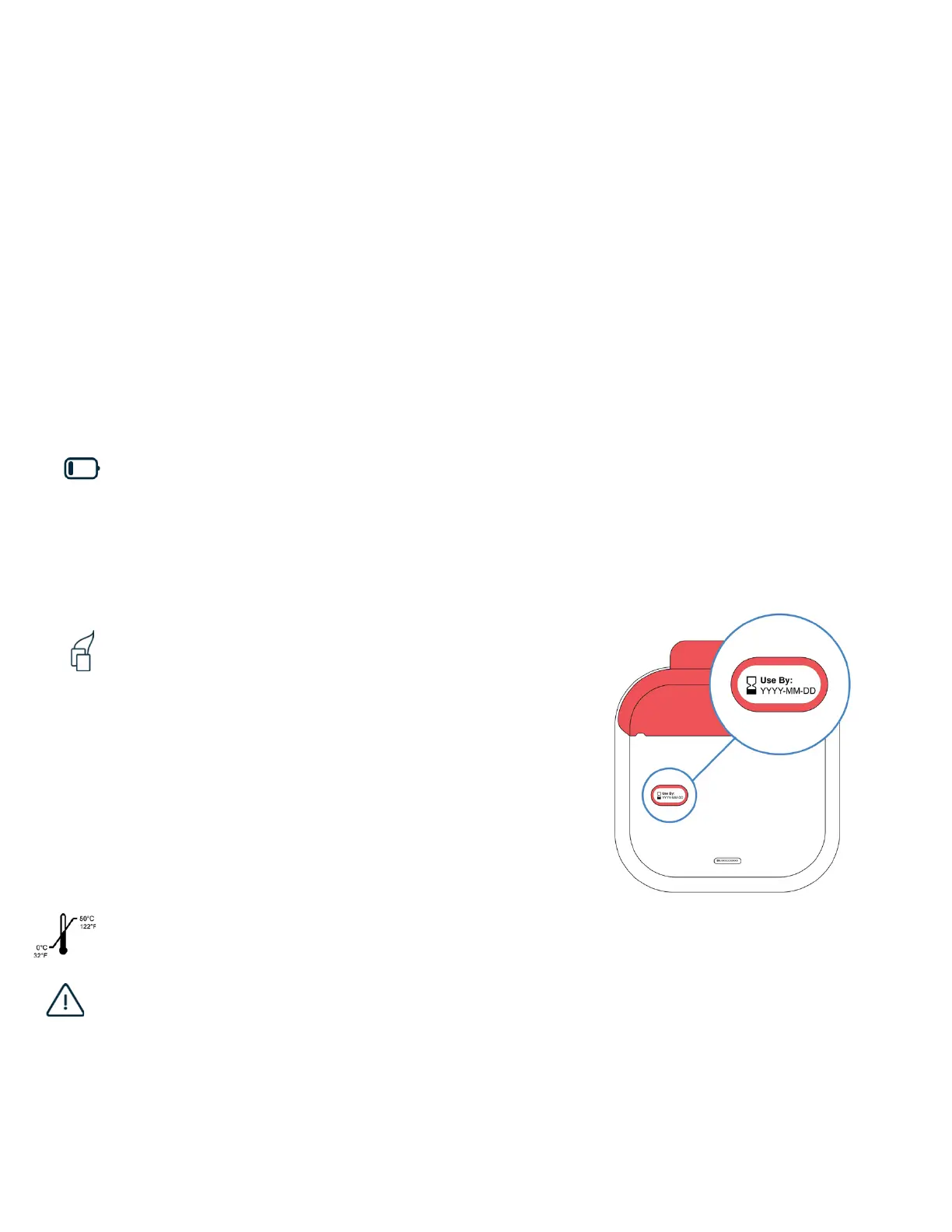
Pad Cartridge is:
• Expired – If the Pad Cartridge is expired it will need to be
replaced. The expiration date can be found on the back of
the Pad Cartridge.
• Previously Used – Once the packaged pads have been
opened the Pad Cartridge will need to be replaced.
• Not Installed – A Pad Cartridge must be installed to
operate the Avive AED. If there is a Training Cartridge, no
cartridge, or an invalid cartridge installed, the device will
not be ready for use.
[See Section 8B to learn how to replace the Pad Cartridge]
Extreme Temperatures – If the AED is too hot or too cold it cannot operate. Only store and operate
your device in the recommended environmental conditions. [See Section 9]
Device Not Operable – In the unlikely case that the Avive AED self-diagnoses a device
malfunction you should contact Avive Customer Support immediately to resolve the issue.



 To Next Page