IFU-00367 Rev A
8. Maintenance
A.
Charging the Avive AEDä
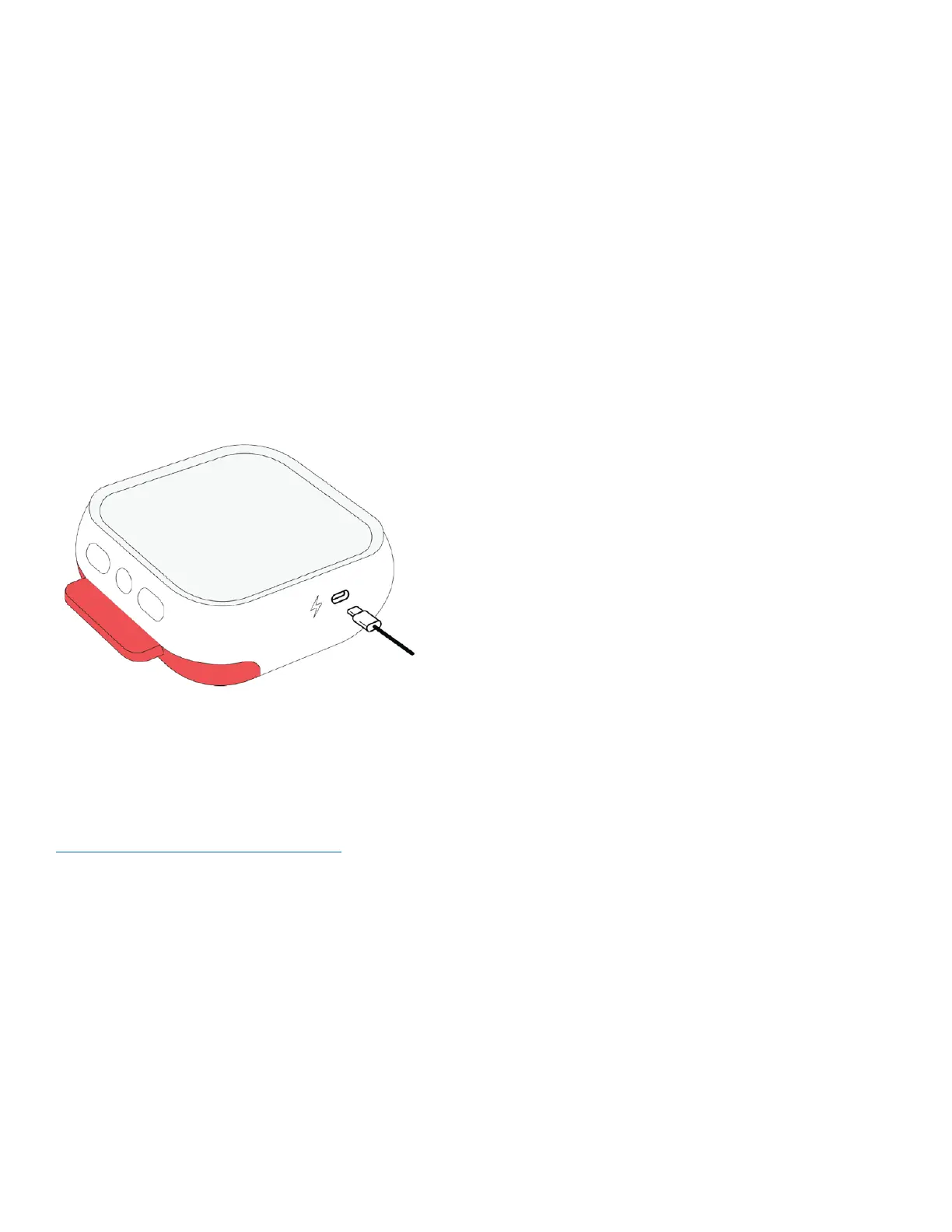
Connect the Aviveä USB Power Adapter to the Avive AED with the Avive USB Charging Cable to recharge the
device. See Section 6B on the Status Light to check that your device is charging.
1) Connect the Avive USB Power Adapter to the Avive USB Charging Cable.
2) Plug the Avive USB Power Adapter into an outlet.
3) Plug the USB Charging Cable into the Avive AED.
IMPORTANT: The Status Light may blink green or red when the device is in any of its charging states to indicate
its functionality status. To determine which charging state the device is in, pay attention to the frequency that
the Status Light blinks [See Section 6B].
CHARGING TIPS:
• The best way to prevent a low battery is to store the
Avive AED in room temperature conditions, connected to
the Avive USB Power Adapter with the Avive USB
Charging Cable.
• After you’ve connected the Avive AED to the charger,
make sure the device is charging or fully charged.
Caution – Only use Avive approved charging accessories to charge the Avive AED.
For more information on available charging accessories approved for use in charging the Avive AED visit
www.avive.life/AviveAED/accessories



 To Next Page