Connecting external devices
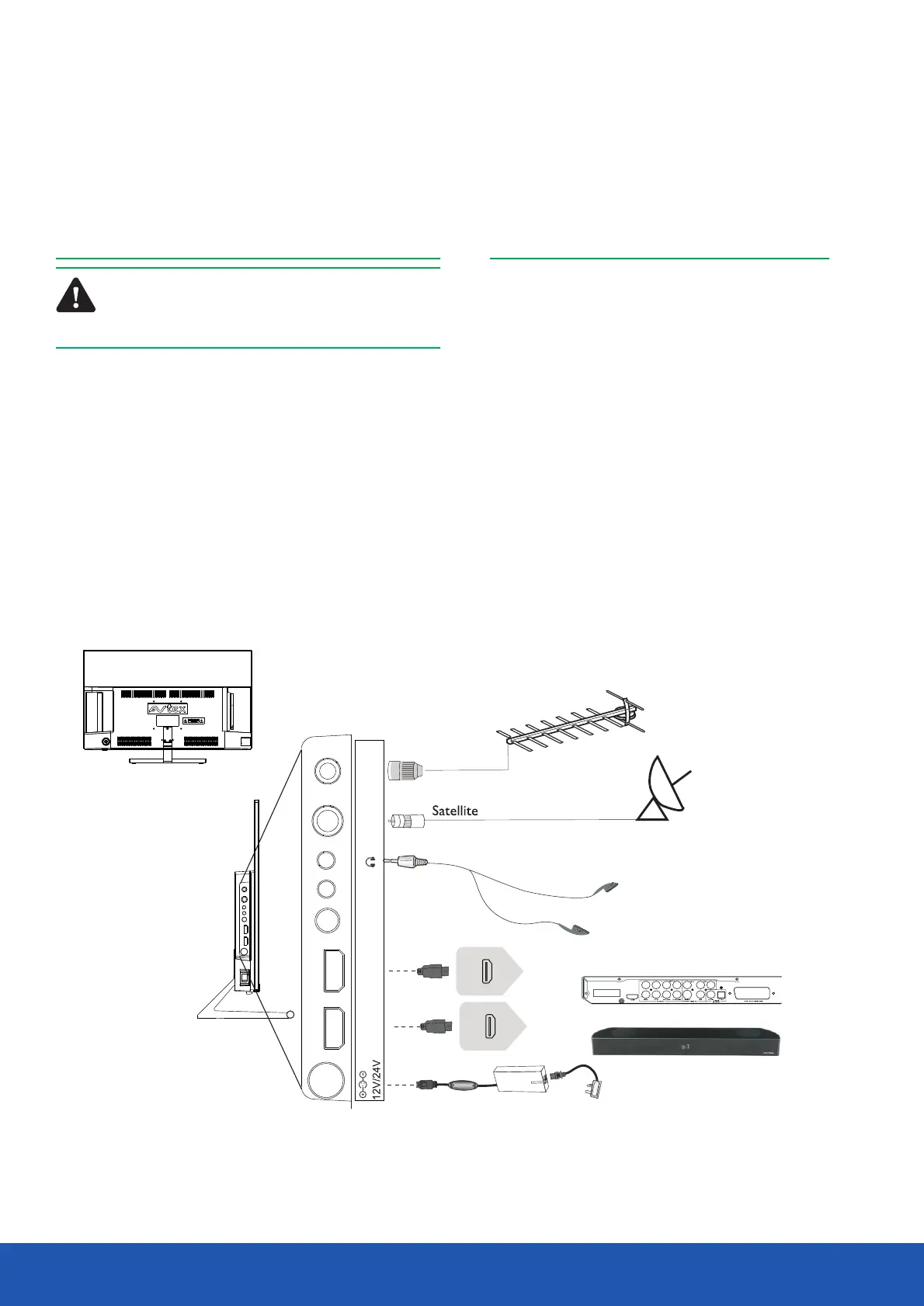
You can connect the TV to a compatible device using
a HDMI lead, using this method will give you optimum
picture.
Connect the cable from the HDMI equipment to one
of the TV HDMI sockets.
The HDMI1 will suppor t the ARC function, so it is
possible to connect the TV to an audio device that
also has ARC capabilities. Please activate this function
in the TV MENU by setting the CEC and ARC
settings to ON, allowing the standard supplied TV
remote control to control the audio device volume
HDMI 2
(ARC)
HDMI 1
RF cable
Coaxial AV SAT RF
HDMI1
(ARC)
HDMI2
Coaxial AV SAT RF
HDMI1
(ARC)
HDMI2
Rear connection panel
and standby conditions.
HDMI lead
Warning! Make sure the TV and all ancillary
equipment are unplugged from the mains
before making any connections
Place the TV on a stable flat surface, which is out of direct
sunlight and away from any heat sources. In order to prevent
TV picture distortion, make sure you avoid close proximity to
other electrical devices such as microwave ovens.
Connect the aerial cable to the back(RF in) of theTV.
Connect satellite cable to the SAT socket on the rear of theTV.
To connect it directly through a recording device (DVD recorder),
connect the TV/DVD as shown below. For best results use a
high gain TV aerial, preferably roof or loft mounted.
If in a poor signal area, to improve picture quality, purchase
and install a signal amplifier (not supplied).
Connecting the aerial
13
Operating the TV
The Quick Start guide shows the simplest and most
effective way of connecting to external devices. These
and alternate methods are listed below.
Soundbar
DVD or VCR player


 To Next Page