36
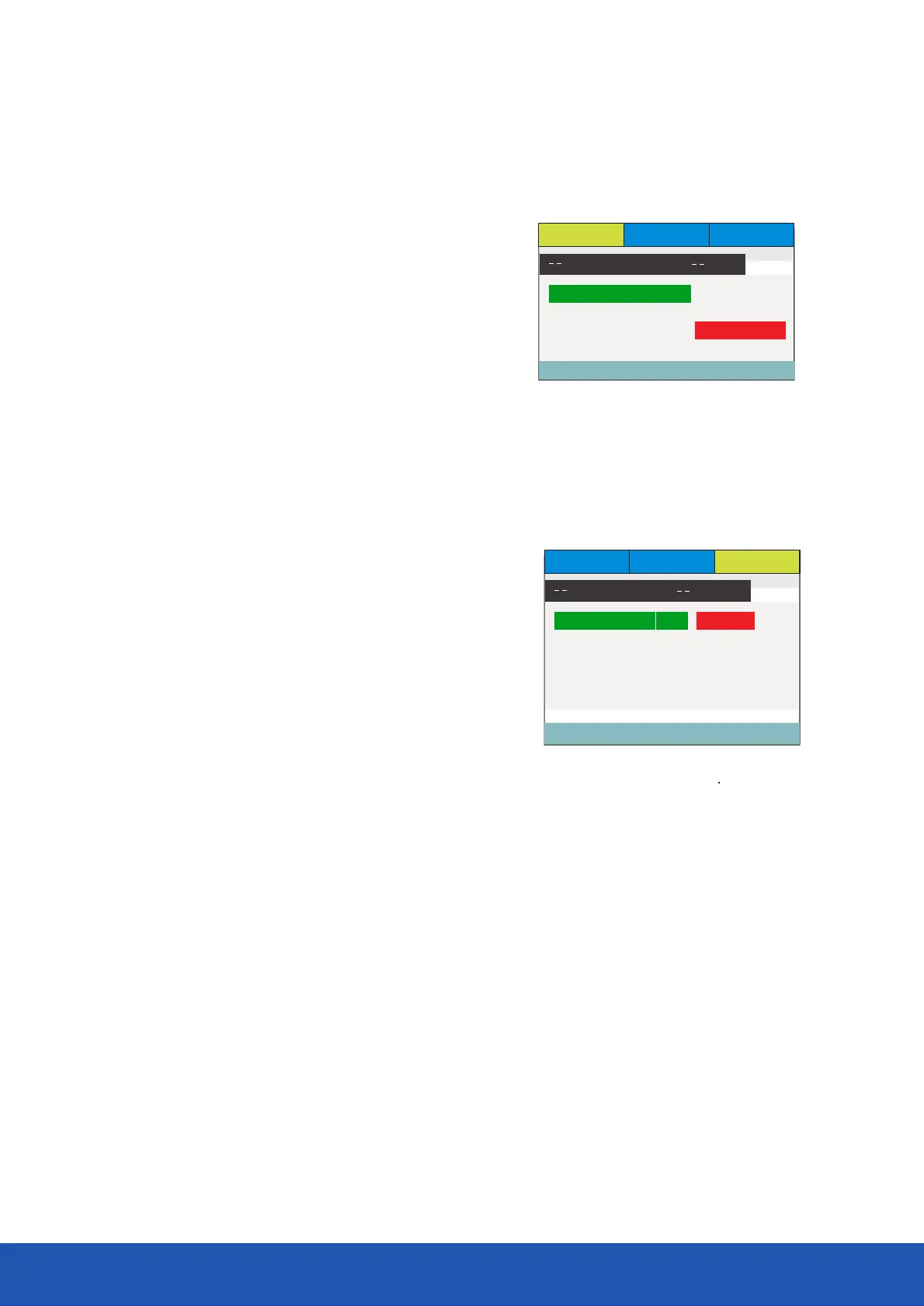
You may select TV Display, Screen, Saver, Downmix and OSD Lang.
TV display: this is used to set the output picture ratio of this unit.
Ÿ Optional settings: 4:3/PS, 4:3/LB, 16:9; Default: 16:9
Screen Saver: Open or close the screen saver.
Ÿ Optional settings: Off, On; Default: On
Downmix: this item is used to set this unit’s DOWNMIX mode to change multi-channel
audio into 2-channel audio output.
Ÿ Optional settings: Stereo, LT/RT; STR Default
OSD language: Select OSD languages. Default is English.
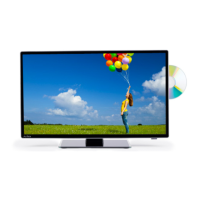
TV Type: To set the output video system of this player.
Ÿ Optional settings: Multi, PAL, NTSC; Default; PAL
Audio: this item is used to set the preference audio language when
playing.
Subtitle: this item is used to set the preference subtitle language
when playing discs with subtitle content.
Disc menu language: this item is used to set the prefered disc menu
language when playing.
Ÿ Default of disc menu language: English
Ÿ Default of subtitle: English
DVD function settings
TV Display Wide 4:3 Panscan
OSD Language Eng 4:3 LetterBox
Screen Saver On 16:9
Last Memary On
General Setup Page
General Audio Preference
Set Tv Display Mode
TV Display PAL PAL
Audio Eng Multi
Subtitle OFF NTSC
DiscMenu Eng
Password
Default
Preference Page
General Audio Preference
Set Tv Standard


 To Next Page