24
Viewing Recordings
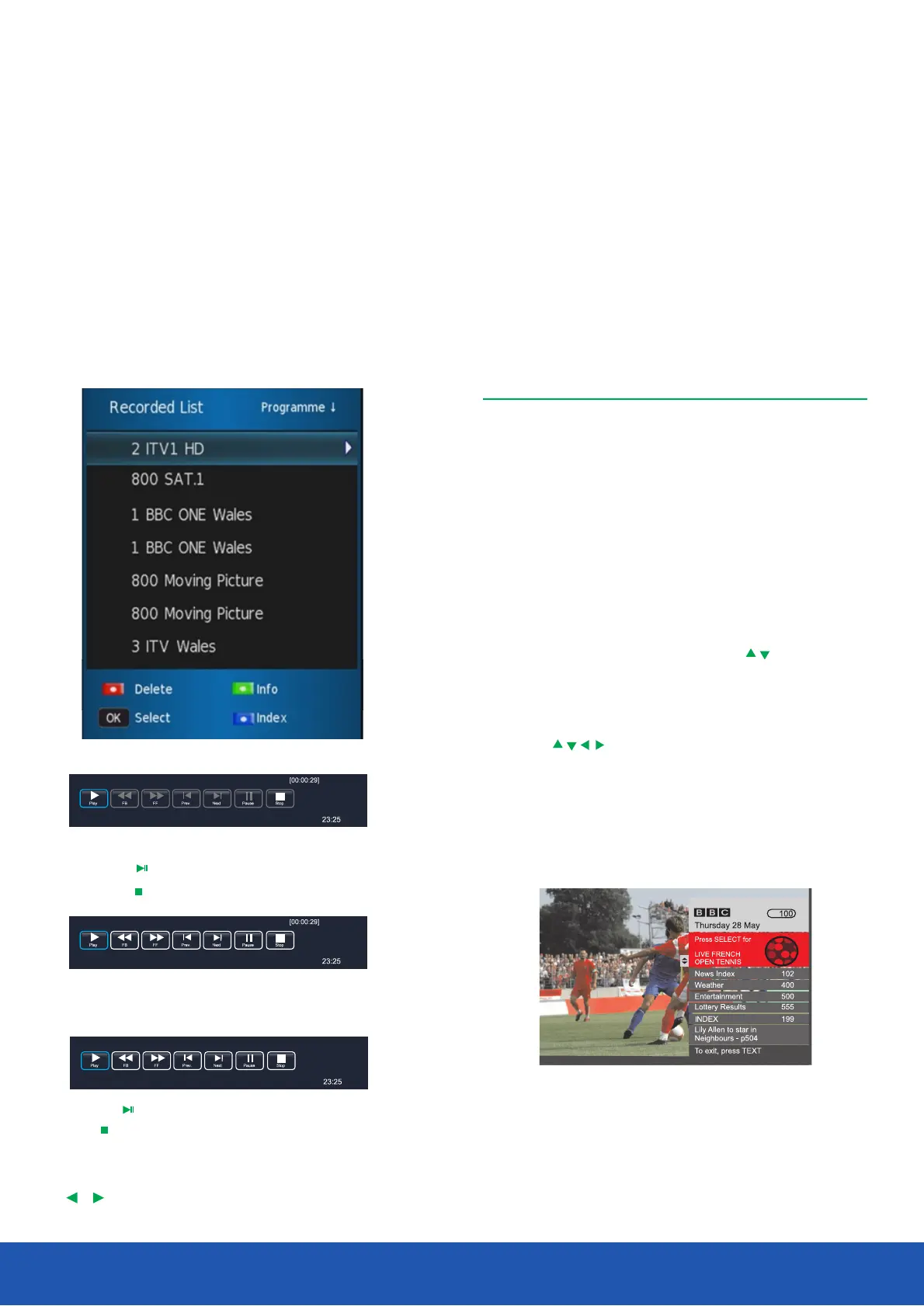
To view any recorded programmes, press the List button
on the remote. (Depending on file size there can be a small
delay displaying the list). Highlight the wanted programme
and press Info will display programme details. To watch
highlight the programme and press play on remote control.
To delete, highlight in the list and press the RED button.
Pause Live TV
To pause live TV, press the Time Shift button, the
programme will stop. To continue watching press the
Play button and the programme will resume. To return
to live TV press the Stop button.
Digital t ext i s a n information s ystem t hat d isplays t ext on y our
TV s creen.
Digital text
Follow the on screen commands.The following menu is an
example of the BBC digital text service.
1.Press the button to select digital text. Text
2.To select the page you require, press the buttons and
press the button to select. Alternatively you can enter OK
the page number using the buttons. Press the Numeric OK
button to view the page.
3.Press the buttons to navigate the digital text
menus.
4.Use the and buttons to access Red, Green, Yellow Blue
the subject shortcuts.
5.To exit digital text press the or button. Exit Text
Note: No on screen menus can be displayed in text mode.
The colour, contrast and brightness cannot be
altered but the volume can be changed.
You can list all recorded files by pressing buttonList
You can playback files in the recorded list.
By pressing or to playback.OK
By pressing to stop.
Press the button to enter Time shift Time Shift
recording mode.
Press the button to enter time shift playback mode.
Press button to exit.
In record, play and time shift mode, you can use
, and buttons to select function.OK
Operating the TV
11 Pick
(0000:39:18)
[00:00:30/01:30:00]


 To Next Page