20
Channel Setup(Digital TV only)
Press the buttons to select a channel.PAGE+ PAGE-
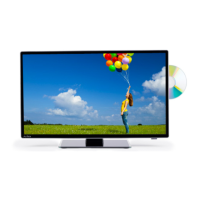
You can do the following to a Digital channel using the
Coloured buttons:
Red - Press the button to delete a channel.Use the Red
buttons to select the channel to be deleted.Press the OK
button to delete the selected channel.
Blue - Navigate to the channel you want to skip then press
the button. You will no longer be able to view this Blue
channel in normal viewing mode.
Programme Edit
Operating the TV
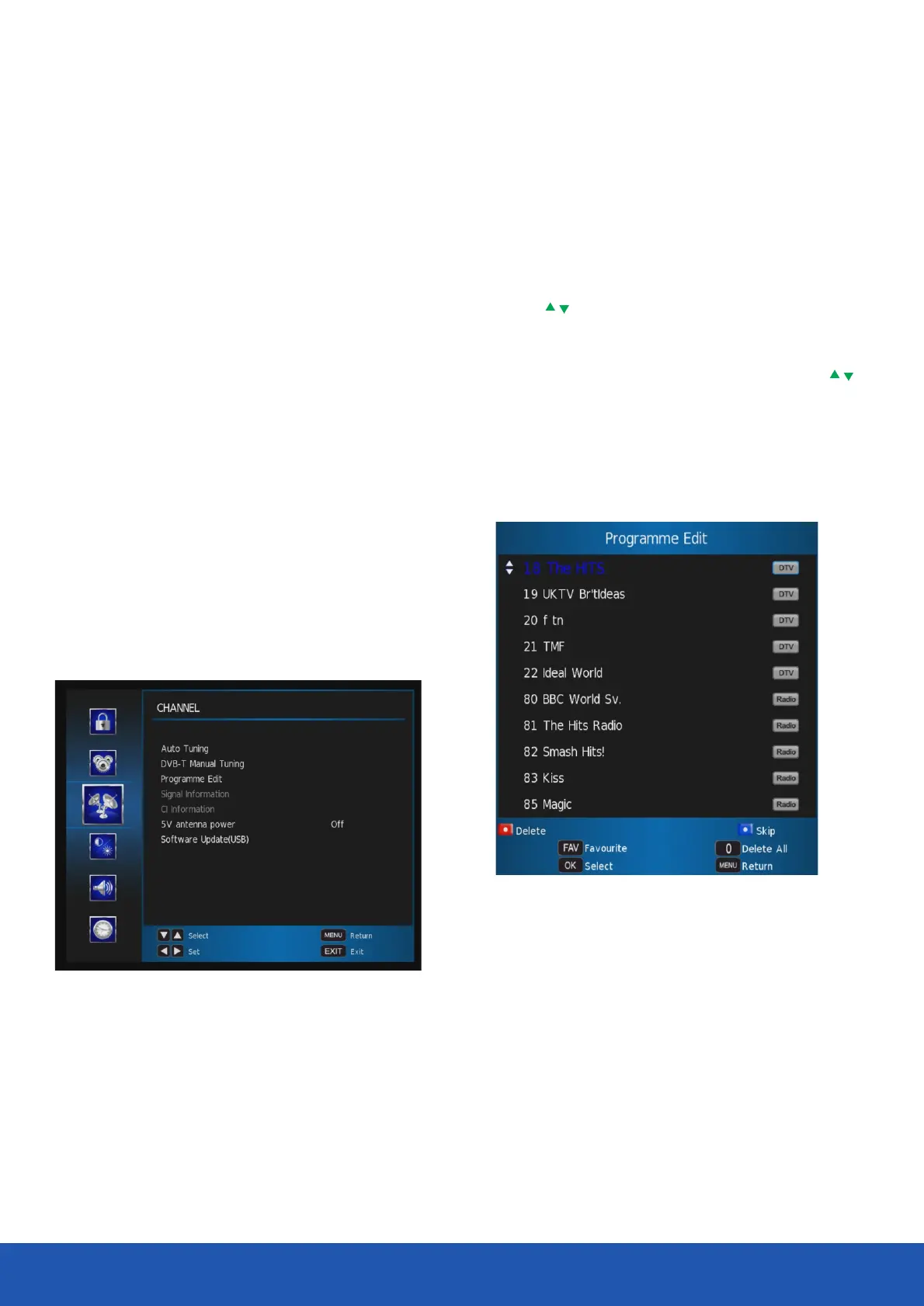
This menu allows you to adjust the channels and the channel
settings.
Auto Tuning - Allows you to automatically search for
channels.
DVB-T Manual Search - Allows you to manually search
and tune the TV.
Programme Edit - Allows you to delete, skip and add
channels. to the Favourite list.
Signal Information - Allows you to see channel
information, signal strength and signal quality.
CI Information - Allows you to access the Common
Interface Card and its status.
5V antenna power - Turn on and off RF antenna power.
Software Update(USB) - Allows you to update
software via USB


 To Next Page