17
TV channel selection
Press the buttons or use the buttons CH /CH Numeric
on the remote control to select a channel you require.
Return
Press the button to swap between the channel you are
watching and the previously selected channel i.e.If you were
watching channel I and change to channel 3, press the
button to return to channel I.
Press the button again to return to channel 3.
Volume
Press the buttons to increase or decrease the volume.V+/V-
The volume level will be displayed at the bottom of the
screen.
Mute
Press the button to mute the sound.Mute will appear at
the top hand side of the screen. left
Press the button again or the button to restore the V+
sound. Mute will disappear from the screen.
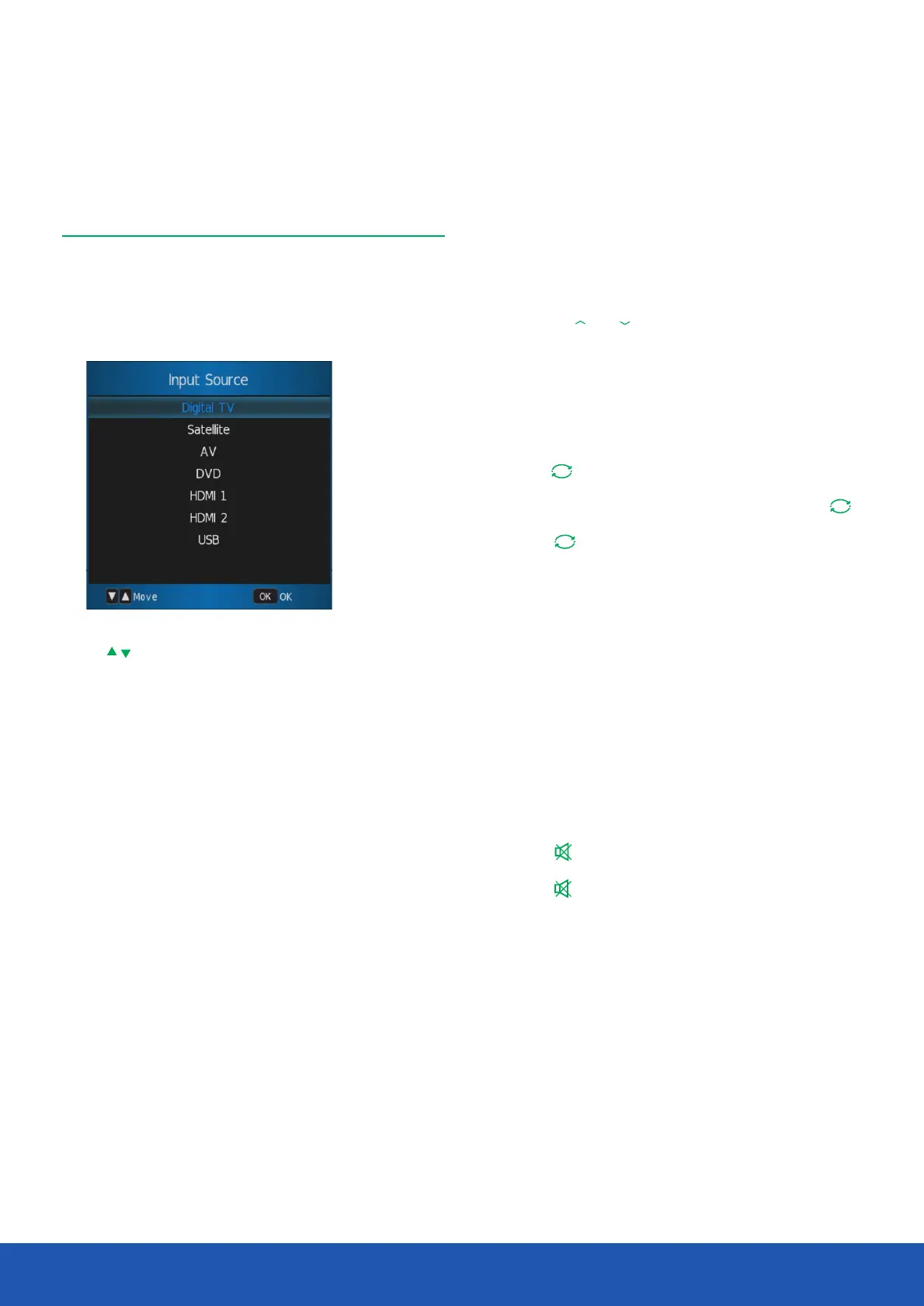
Use the buttons to scroll between inputs and press OK
to select the source.
If no source is manually selected using the button, OK
the TV will automatically switch to the highlighted input after
2 seconds.
Press the button to exit the display.Exit
Basic operation
Source selection
Press the button to display the source menu.The Source
following sources are available:
Operating the TV


 To Next Page