39
TROUBLESHOOTING
Remote control not aimed correctly.
Front panel remote control sensor obstructed.
Remote control batteries inserted incorrectly.
Remote control batteries exhausted.
Check that TV is correctly plugged in.
Check the TV is connected to a suitable power source.
Check the electrical supply is turned on.
Ensure that the TV is turned on.
Check that the cables are fitted securely.
Ensure the aerial and/or external sources are connected.
Press the button to change the source.Source
Press button and check if Mute mode is set.Mute
Switch to another channel and see if the same problem occurs.
Press button to see if the problem can be solved. V+
Check if correct sound system is selected (refer to page 19).
Check correct channel is selected.
Adjust the aerial.
Check if the same problem exists on other channels.
Ensure the correct picture settings are selected (refer to page 19).
Check that the aerial is correctly connected.
Check that the aerial is in good condition.
Disconnect the TV from power supply, wait 10 seconds, reconnect the TV to the power supply.
No response to remote
control.
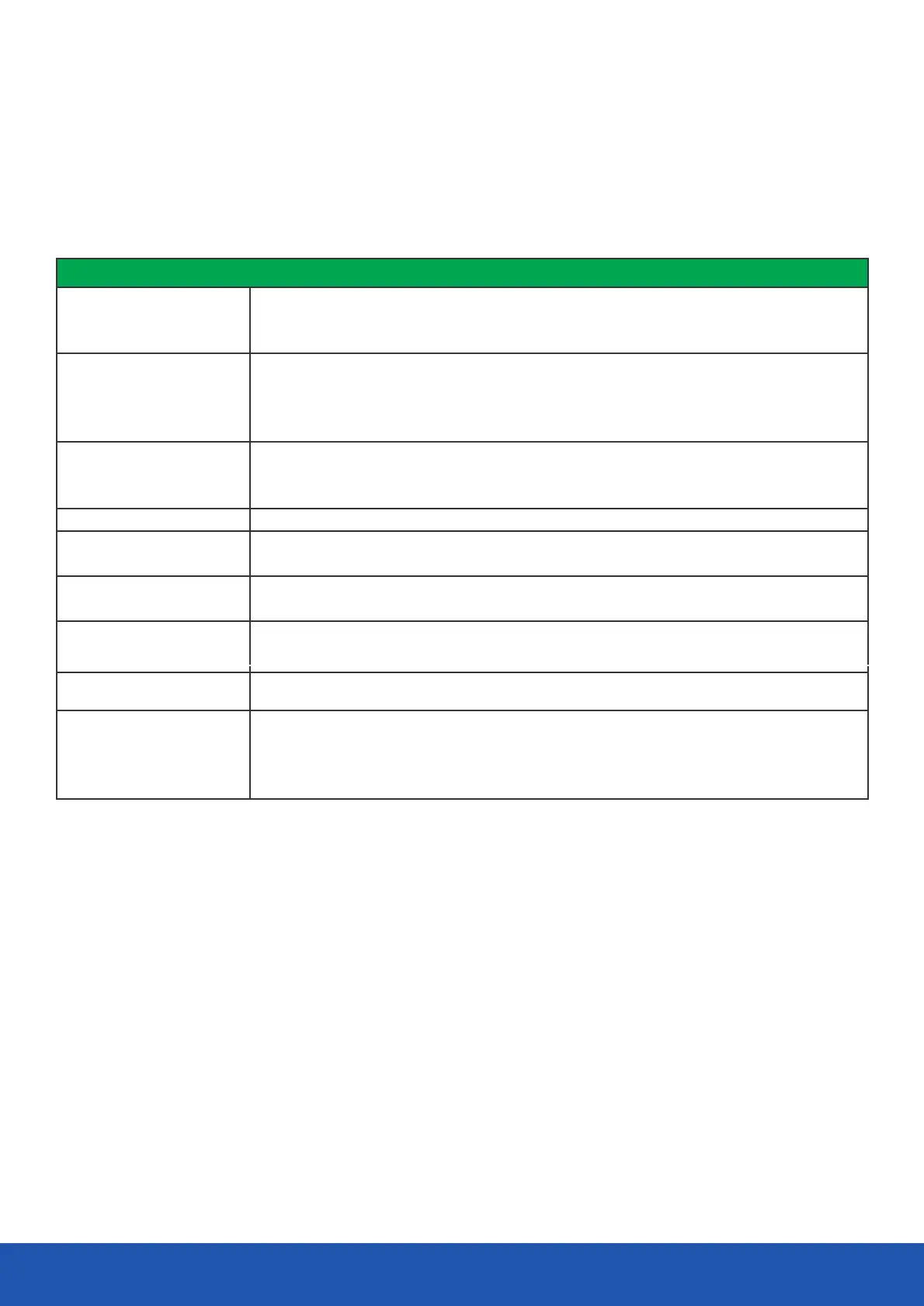
To assist in locating possible faults use the help guide below.
Troubleshooting
No picture, no sound
No picture
No sound
If none of the suggestions seem to work, try switching your TV off and then on again.Never attempt to repair the TV yourself.
Note: The TV must only be repaired by a qualified registered service person.Never attempt to remove the back cover as the TV
has dangerous voltages inside that may cause fatality or fire.
Poor sound
No picture on some
channels
No colour on some channels
(black and white)
Spots on some or all
channels
Controls not working


 To Next Page