AXELL OPTICAL MASTER UNIT MARK II
PRODUCT DESCRIPTION AND USER’S MANUAL
12 Doc PN 00018UM Rev. 1.9 © Axell Wireless Ltd
2 Installation
2.1 Installation Overview
To get the system up and running, the following steps are required:
1. Unpack the equipment and verify all ordered items have been delivered and in operational
condition.
2. Mount the OMU in a 19” rack (see
2.3).
3. Ground the unit (
2.4)
4. Connect rear panel RF connections in the back panel (see
2.5)
5. Connect rear panel power cables (see
2.9.1)
6. Connect all F/O connections (
2.6)
7. For GPRS modem communication, insert SIM card in Control module (see
2.8.1)
8. System setup and commissioning using the Web-GUI (see Chapter
0).
2.2 Unpacking
Inspect the shipped material before unpacking the equipment, document any visual damage and
report according to routines. A delivery of an OMU from Axell Wireless contains:
• Checklist with delivered items
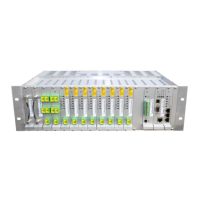
• OMU II Chassis with modules according to order
2.3 Mounting in Rack
The OMU is designed to be mounted in a 19” rack. Follow the standard procedure on mounting
equipment in a 19” rack.
NOTE: A fibre guide unit can be mounted above the OMU to support the fibres as they are run from
the front of the OMU to the back side of the rack..


 To Previous Page