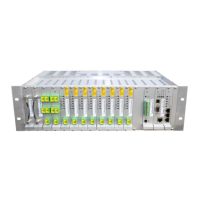
AXELL OPTICAL MASTER UNIT MARK II
PRODUCT DESCRIPTION AND USER’S MANUAL
VI Doc PN 00018UM Rev. 1.9 © Axell Wireless Ltd
Table of Contents
1 Introduction ................................................................................................................. 1
1.1 Features ................................................................................................................................ 2
1.2 Architecture .......................................................................................................................... 3
1.3 OMU II Models and Ordering Information .......................................................................... 4
1.4 Point-of-Interface (POI) ........................................................................................................ 5
1.5 Supported Combinations of High-powered and Low-powered Units ............................. 5
1.5.1 OMU II Topology with 24 MBF-20 Remotes ............................................................. 6
1.5.2 OMU II Topology with Eight High-Power Remotes ................................................... 6
1.6 OMU II Front Panel Modules ............................................................................................... 7
1.6.1 WDM Fibre Optic Converter ...................................................................................... 7
1.6.2 Optic Splitter .............................................................................................................. 8
1.6.3 RF Splitter and RF Combiner Modules ..................................................................... 8
1.6.4 Control Module .......................................................................................................... 9
1.6.5 External Alarm and Battery Module ........................................................................... 9
1.6.6 Modem Unit ............................................................................................................... 9
1.6.7 Modem Antenna ...................................................................................................... 10
1.6.8 Rack Communication Board .................................................................................... 10
1.7 OMU Rear Panel Power and RF Interfaces ...................................................................... 11
1.7.1 Rear Panel for One or Two Service Connections ................................................... 11
2 Installation ................................................................................................................. 12
2.1 Installation Overview ......................................................................................................... 12
2.2 Unpacking ........................................................................................................................... 12
2.3 Mounting in Rack ............................................................................................................... 12
2.4 Grounding – GND LUG ...................................................................................................... 13
2.5 RF Connections – Single Sector ....................................................................................... 14
2.6 Fibre Optic Connections ................................................................................................... 14
2.7 External Alarm and Relay Connections ........................................................................... 16
2.8 Modem Connections .......................................................................................................... 16
2.8.1 GPRS Modem SIM Card Installation ....................................................................... 17
2.8.2 Wireless Modem Antenna Connections .................................................................. 17
2.8.3 PSTN Modem .......................................................................................................... 17
2.9 Power Connections ............................................................................................................ 18
2.9.1 Power Cable Connections for Single/Dual Sector Rear Panel ............................... 18
2.9.2 Power Up ................................................................................................................. 19
2.10 RF Splitter/Combiner Installation ..................................................................................... 19
3 OMU Commissioning Procedure ............................................................................. 20
3.1 Initiate Local Web Session ................................................................................................ 20
3.1.1 Supported Browsers ................................................................................................ 20
3.1.2 Opening a Local Web Session to the OMU II ......................................................... 20
3.1.3 Opening a Local USB Session to the OMU II ......................................................... 23
3.1.4 Login to the OMU II ................................................................................................. 24
3.2 Navigating the Web Interface ............................................................................................ 25
3.2.1 Management Options Buttons ................................................................................. 25
3.2.2 Home Pane View ..................................................................................................... 26
3.2.3 Configuration Options .............................................................................................. 27
3.3 Commissioning Steps Overview ...................................................................................... 28
3.4 Configuring General Parameters ...................................................................................... 29
3.4.1 Site Information - OMU II Identification ................................................................... 29


 To Next Page
 Loading...