3 CONVERTER CONFIGURATION
The converter supports configuration over the internal website running on the device
embedded web server. The default Device IP Address is 192.168.0.34 and the default Web
Server Port is 80. Please, make sure that there are no other devices on this IP address when
connecting the converter for the first time to your LAN for configuration.
To connect to the device, run any web browser and point it to the Device IP Address. It is not
necessary to specify the Web Server Port if the web server uses a standard port 80.
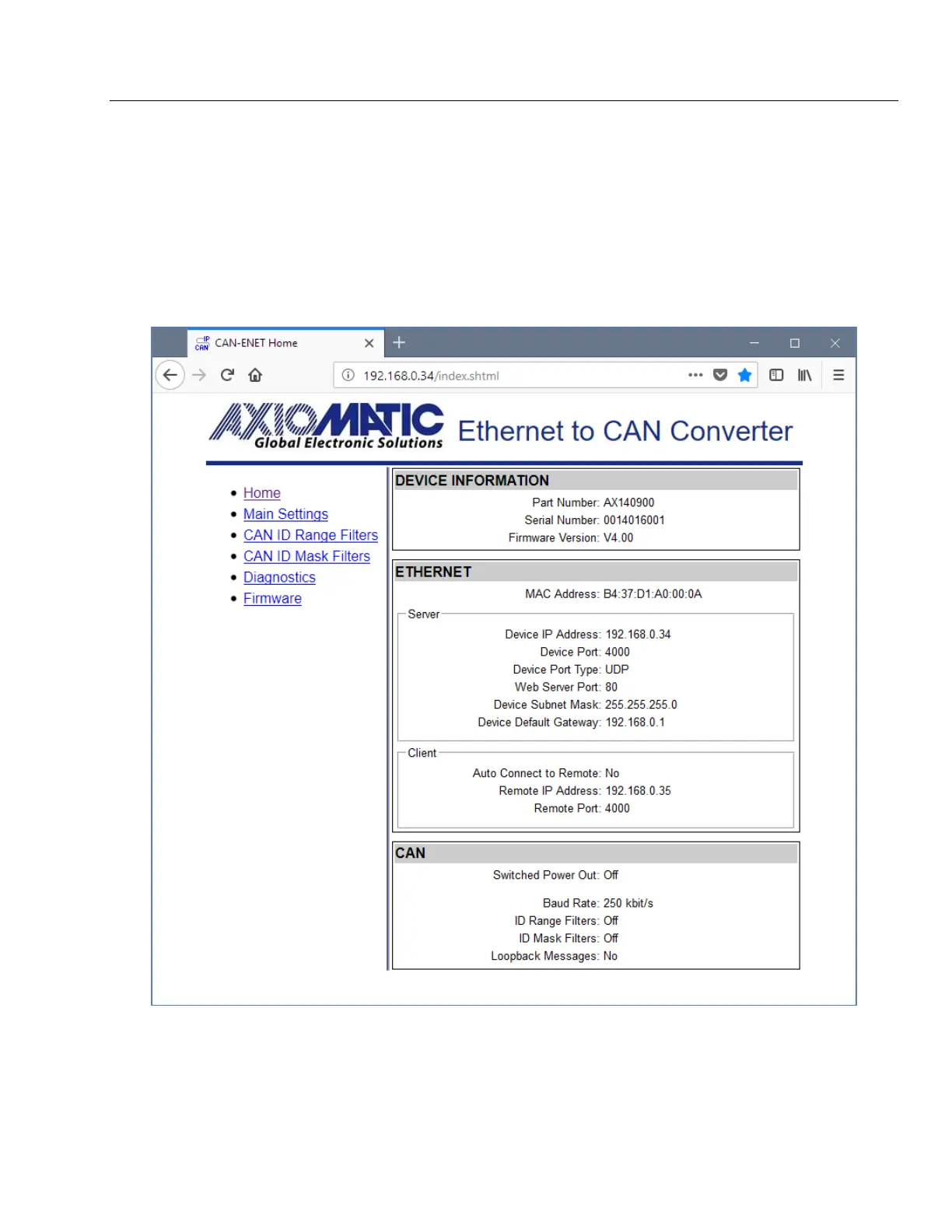
After a successful connection, you will see the device home page, see: Figure 5.
Figure 5. Converter Home Page
The home page shows the device information, including the converter part number, serial
number, and firmware version. It also shows Ethernet and CAN configuration parameters
including the status of CAN ID range and mask input filters.


 To Next Page