All connections with the device are virtual. On the server side, the device analyzes the
incoming traffic to check for the new connections. Once a new IPAddress:Port combination is
detected, the connection is established and the device starts sending CAN data with Heartbeat
messages to the new node.
There are no restrictions on the IP address and port for the incoming connections.
If a client-side is activated by the Autoconnect to Remote configuration parameter, the device
will automatically start sending CAN data with Heartbeat messages to the remote node on
start-up.
To ensure that the device does not send data to not functioning (dead) or disconnected nodes,
the server side connections will expire in 10 sec of inactivity, when no valid data is received
from the remote node. The client-side connection will never expire.
2.3.1.2 TCP Protocol
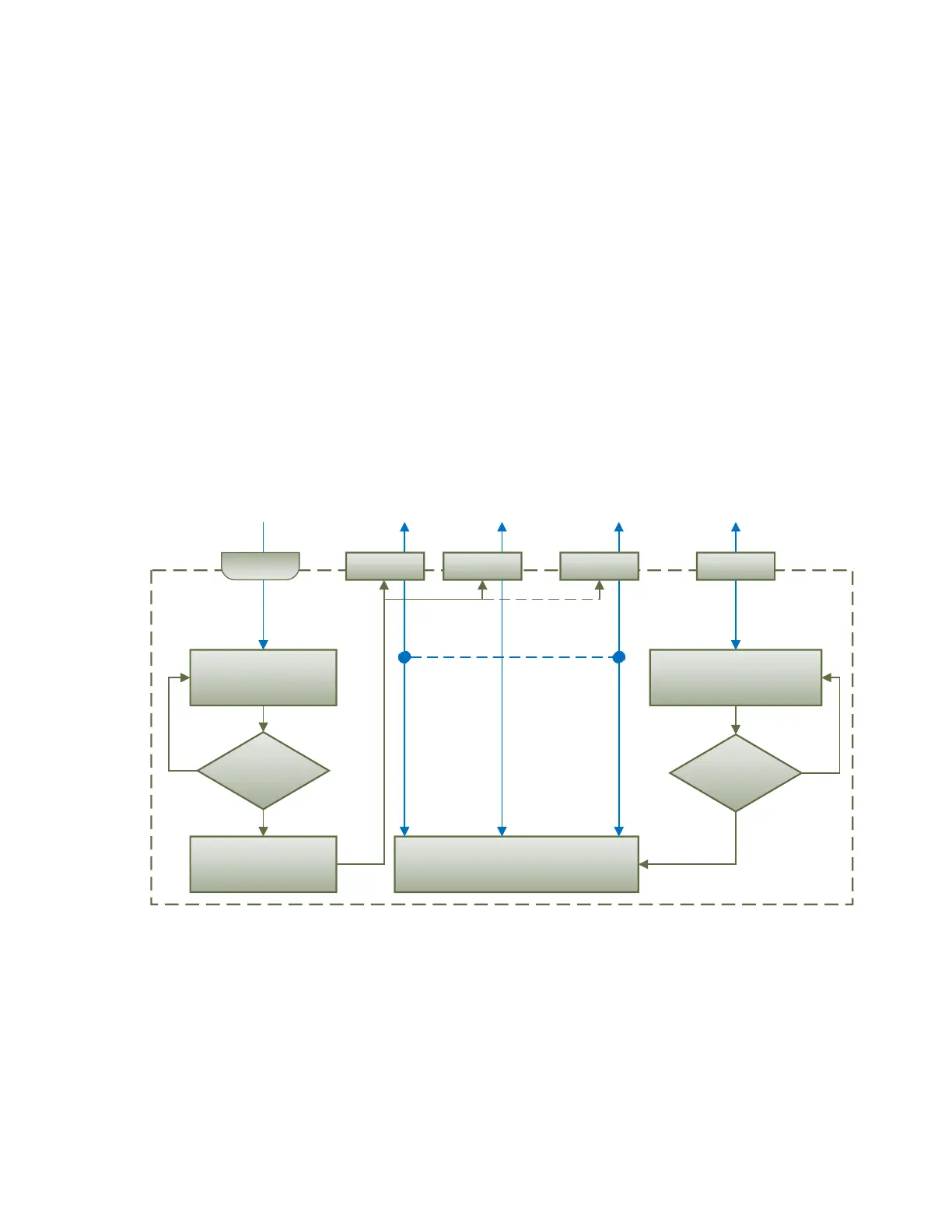
When TCP protocol is used, the Communication Device opens an individual data socket for
each device connection, see: Figure 4.
Data Socket
New
connection?
Listen to incoming
connections
No
Yes
Input/Output Communication
Try to connect to remote, if
AutoconnectToRemote==True
Connection
established?
Yes
No
Up to 10
connections
Server Client
DeviceIpAddr:DevicePort
Device Communication Flow
Data Socket Data Socket
Accept Connection
Data Socket
DeviceIpAddr:DevicePort DeviceIpAddr:AnyPort
Listen
Socket
Figure 4. Communication Device. TCP Protocol
The server side opens a listening socket for incoming connections. Once a connection is
accepted, a new data socket is created to handle input/output communication with the remote
node. There are no restrictions on the IP address and port for the incoming connections,
similar to the UDP mode.
On the client side, if Auto Connect to Remote is set to Yes, a data socket is created for
connection with the remote node. A random free port number is assigned to the socket. If the
connection drops, the device will try to automatically reconnect with the node to maintain the
client connection.


 To Next Page