4 CONVERTER DIAGNOSTICS
The user can see a real-time diagnostic information on the Diagnostics page on the converter
internal website. The connection to the converter embedded web server is described in the
Converter Configuration section.
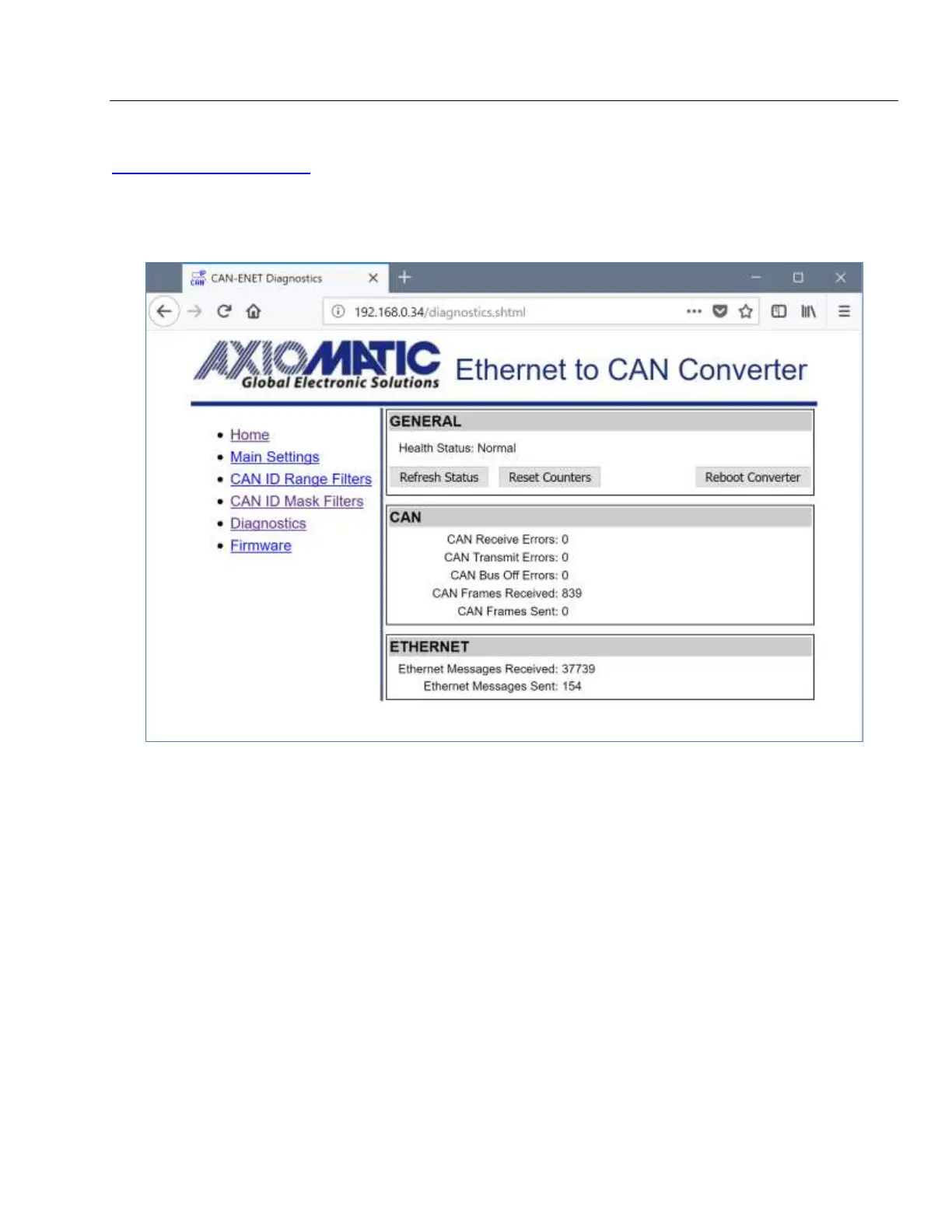
To see the Diagnostics page, Figure 14, the user should click on the Diagnostics link on the
left side of the web page.
Figure 14. The Converter Diagnostics Page
The Diagnostics page shows the Health Status of the converter together with the CAN and
Ethernet statistics.
The user can refresh the values on the page by pressing the Refresh Status button or reset the
statistic counters by pressing Reset Counters button. The Reboot Converter button activates
the converter rebooting.
The converters do not retain the diagnostic information. All information is lost when the power
is shut down.
4.1 Health Status
The converter Health Status is an aggregated system run-time parameter calculated on the
base of operational statuses of the major device hardware and software components.
The Health Status presents the overall operational status of the CAN to Ethernet Converter,
based on the following rules, see Table 4.


 To Next Page