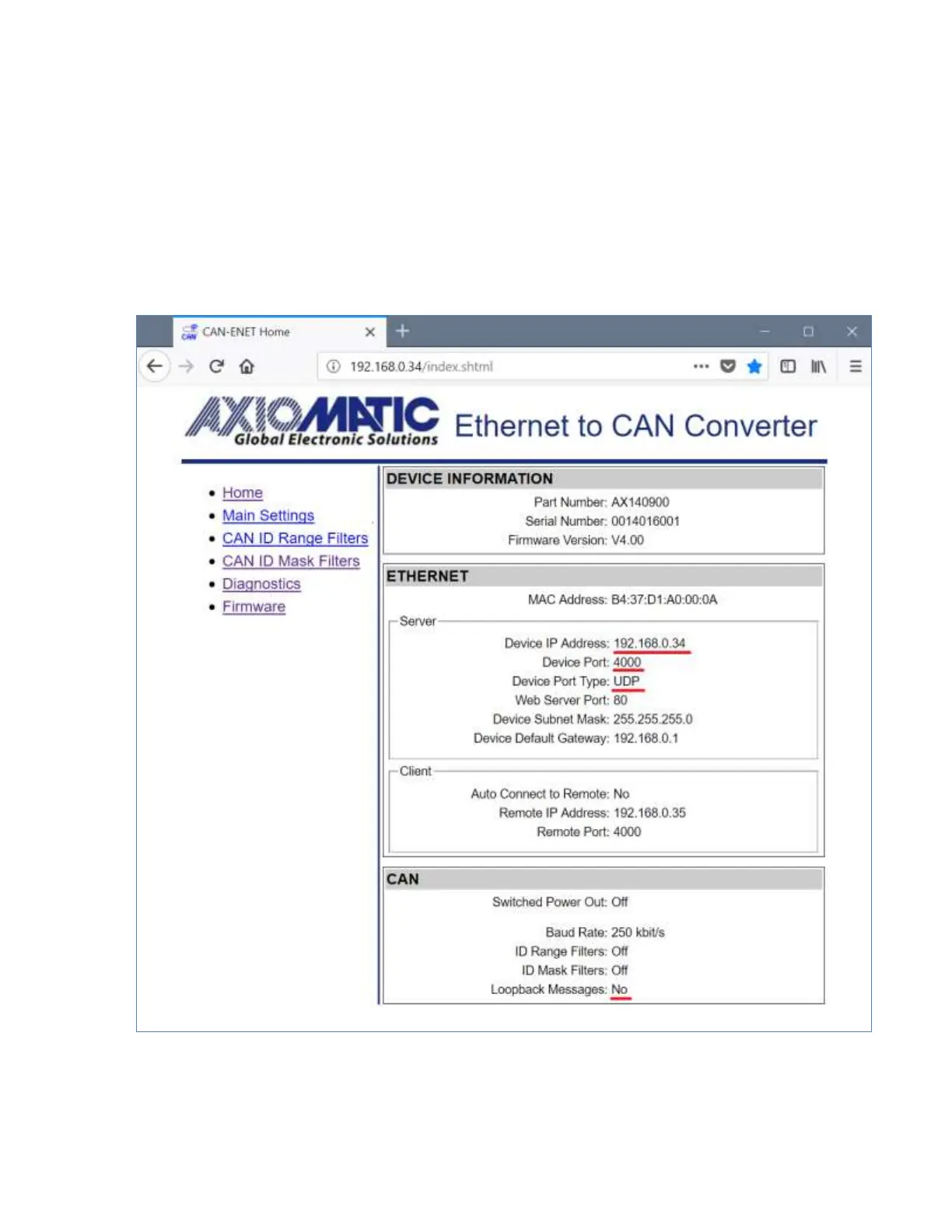
Set Auto Connect to Remote to No to disable the client side of the converter. The Remote IP
Address and Remote Port can be left untouched since they are not used by the converter
when the client mode is disabled. They are grayed on the Settings page in this mode.
For the CAN network, configure the necessary Baud Rate and set Loopback Messages to No.
The Loopback Messages configuration parameter must be set to No to avoid sending the
same messages back and forth between converters, which will lead to network saturation and
communication failure.
An example of the converter configuration as a server is presented in Figure 23.
Figure 23. The Converter Server Configuration Example
6.1.2.2 Client Configuration
In the client configuration, the user should set Device IP Address, Device Port, Device Subnet
Mask and Device Default Gateway to the appropriate values received from the network


 To Next Page