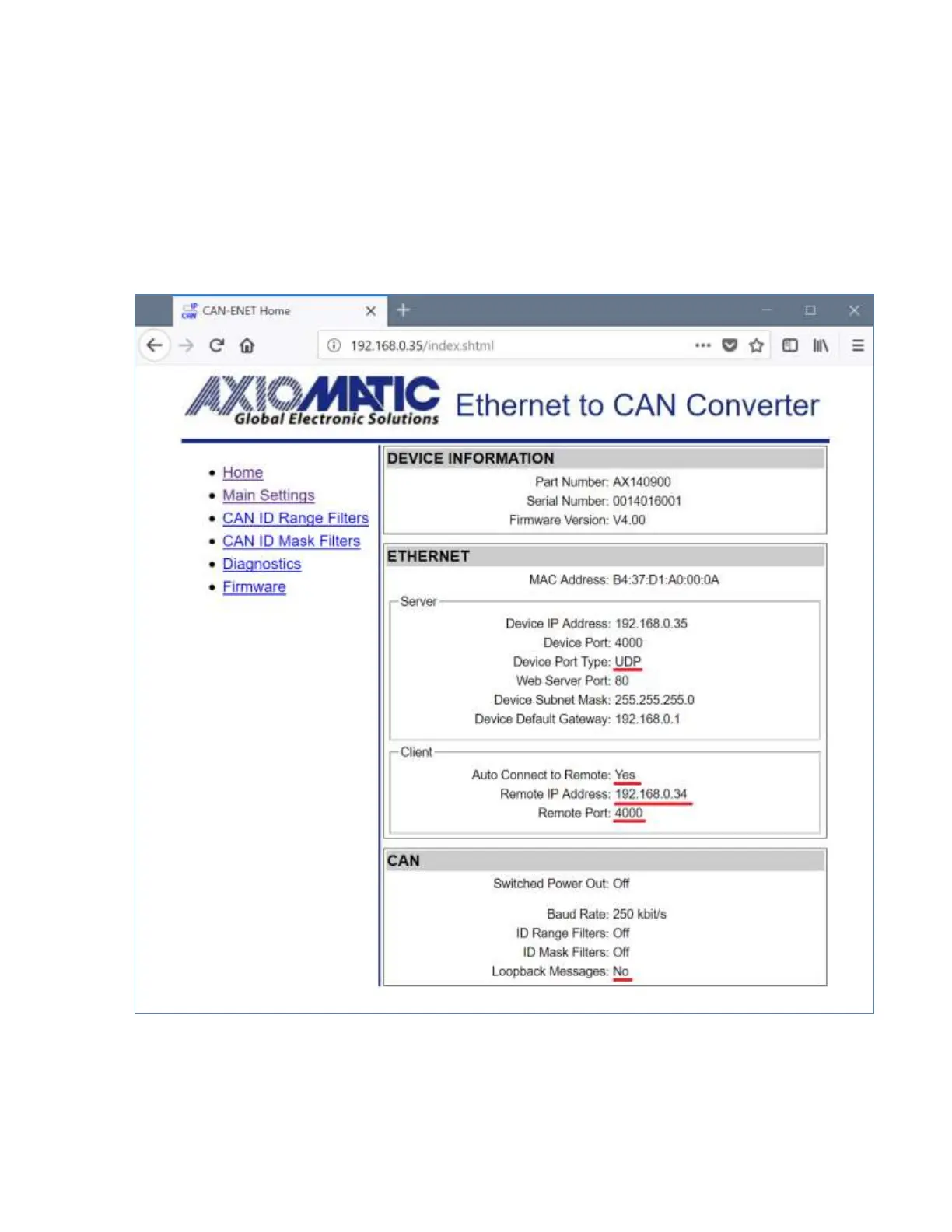
administrator the same way as with the server configuration. After that, the user should set the
Device Port Type, Remote IP Address and Remote Port to match the settings of the converter
in the server mode and activate the client mode by setting the Auto Connect to Remote to Yes.
The CAN network setup is done similarly to the server mode; the Baud Rate is set to the
desired baud rate (not necessarily the same as on the server) and the Loopback Messages is
set to No.
An example of the converter configuration in a client mode is presented in Figure 24.
Figure 24. The Converter Client Configuration Example
The values of the Device Port Type, Remote IP Address and Remote Port of the client on
Figure 24 are the same as the Device Port Type, Device IP Address and Device Port of the
server in Figure 23.


 To Next Page