AXISP3364-LVNetworkCamera
1Tip2Ring
3Sleeve
AudioInput
Microphone/Linein
Ground
AudioOutput
Lineout(mono)
Ground
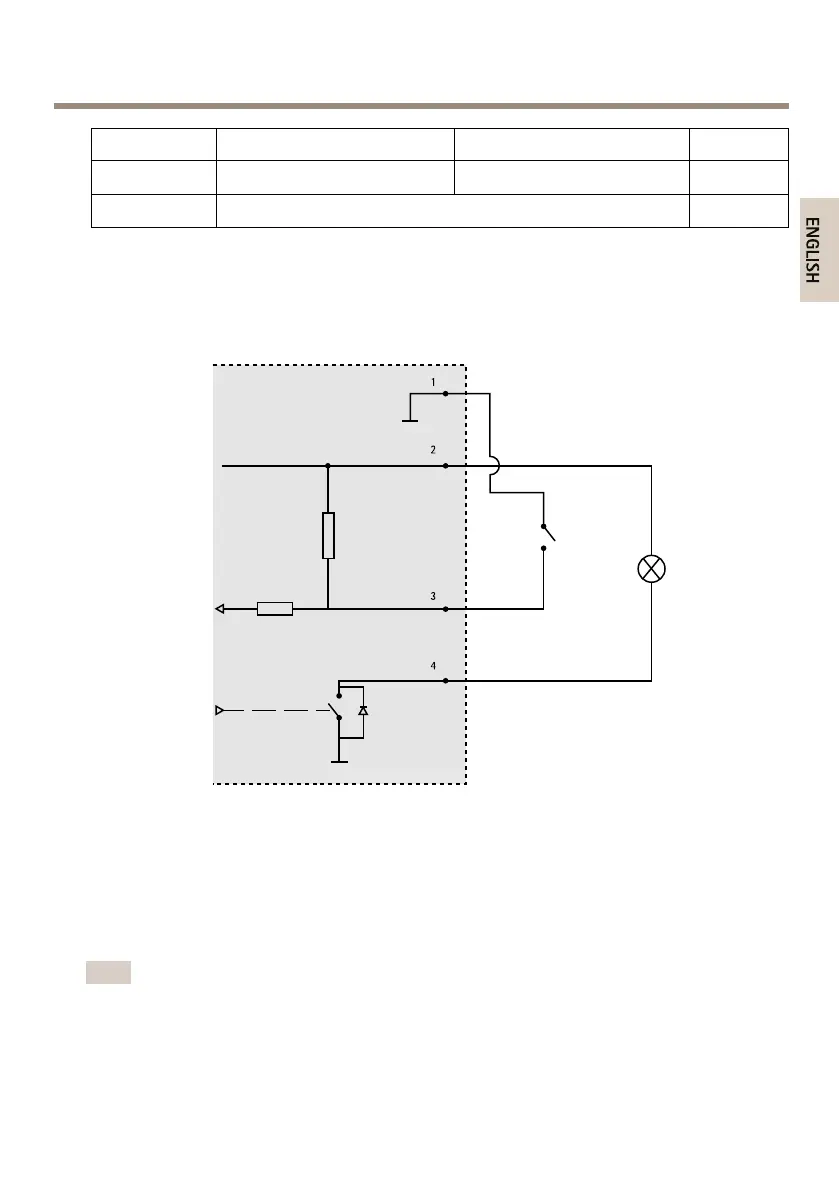
ConnectionDiagrams
I/OConnector
1
0VDC(-)
2
DCoutput3.3V,max50mA
3
Digitalinput0tomax40VDC
4
Digitaloutput0tomax40VDC,opendrain,100mA
InstalltheHardware
Note
•ThisAxisproductcanbemountedwiththecablesroutedthroughoralongthewall.
•Thisproductcanbettedwithametalconduitforprotectingthecablingwhenthe
cablesareroutedalongthewall.
15



 To Next Page