AXISP3364-LVNetworkCamera
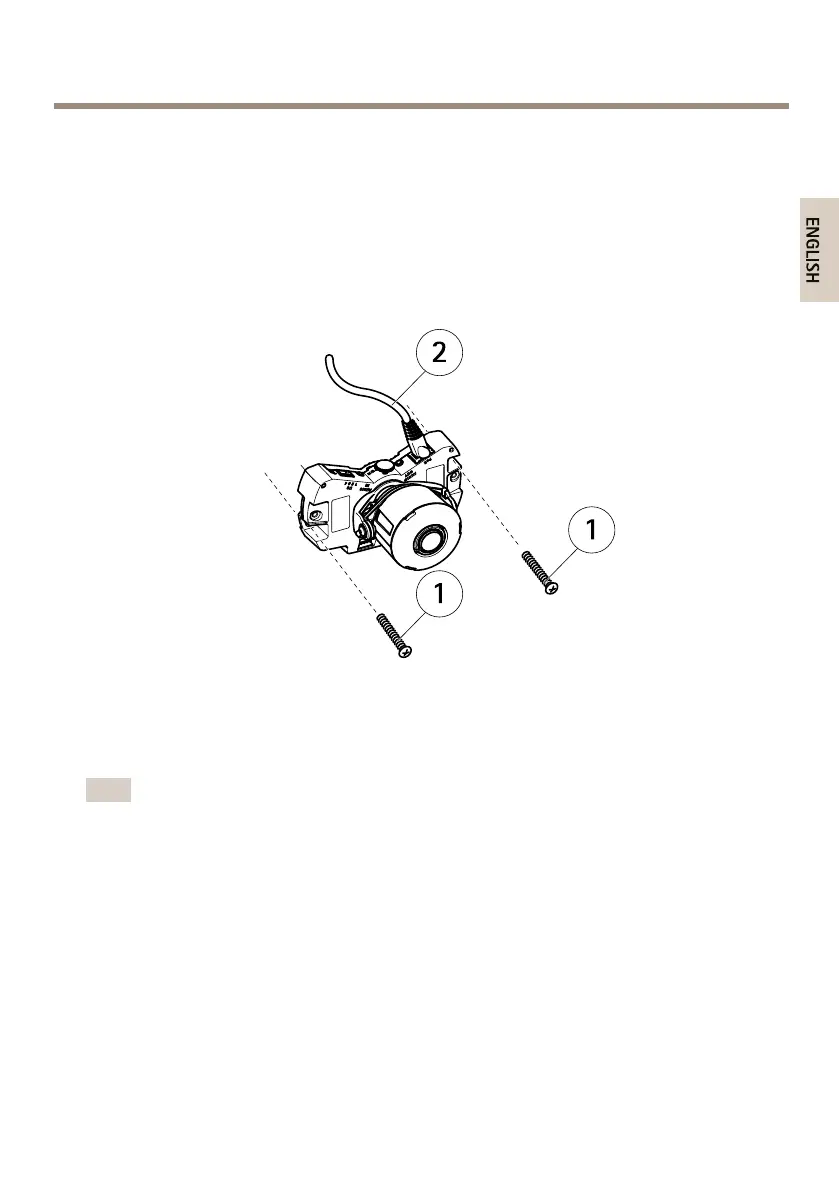
MounttheCameraDirectlyontoWall
1.Drilltwoholesinthewallusingthedrilltemplate.
2.Routeandconnectallrequiredcables.Theseincludethenetworkcableandmayinclude
externalinput/outputdevicesandtheactivespeaker/externalmicrophone.
3.Attachthecameraunittothewallusingscrewsandplugsappropriateforthewall
material.
TheillustrationshowsamodelwithoutIRillumination.
1
Wallscrews
2
Networkcable
MounttheCameraUsingaMountingBracket(notincluded)
Note
Themountingbracketcanalsobeusedformountingthenetworkcameratoajunctionbox.
1.Drilltwoholesinthewallusingthedrilltemplate.
2.Routethenetworkcableand,ifrequired,theI/Oandaudiocablesthroughthewalland
throughtheholesinthemountingbracket.
3.Attachthemountingbrackettothewallusingtwoscrewsandplugsappropriatefor
thewallmaterial.
4.Connectthecablestothecameraunit.
5.InserttheSDmemorycard(optional).
6.Attachthecameraunittothemountingbracketusingtwoscrews(notincluded).
TheillustrationshowsamodelwithoutIRillumination.
17



 To Next Page