AXISP3364-LVNetworkCamera
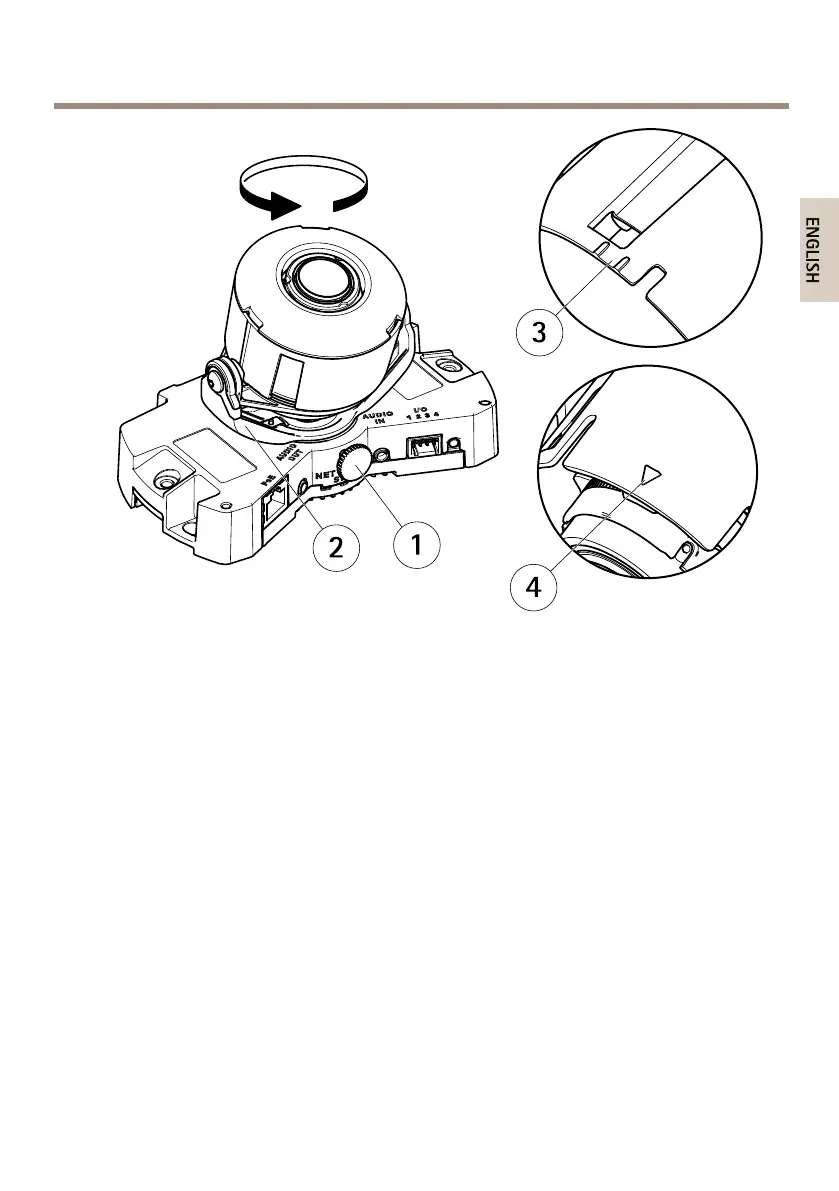
1
Lockingscrew
2
Lensholder
3
Marking(designA)
4
Marking(designB)
2.Loosenthelockingscrew.
3.ChecktheLiveViewpageandturnthelensholdertorotatethelens90°or180°.
4.Oncesatised,gentlytightenthelockingscrewtosecurethelensholder’sposition.
TilttheLens
1.OpentheLiveViewpage,seeAccesstheProductonpage22.
2.Loosenthetwoscrews.
3.ChecktheLiveViewpageandtiltthelenstothedesiredposition.
4.Tightenthetwoscrews.
TheillustrationshowsamodelwithoutIRillumination.
19



 To Next Page