AXISQ8752-EBispectralPTZCamera
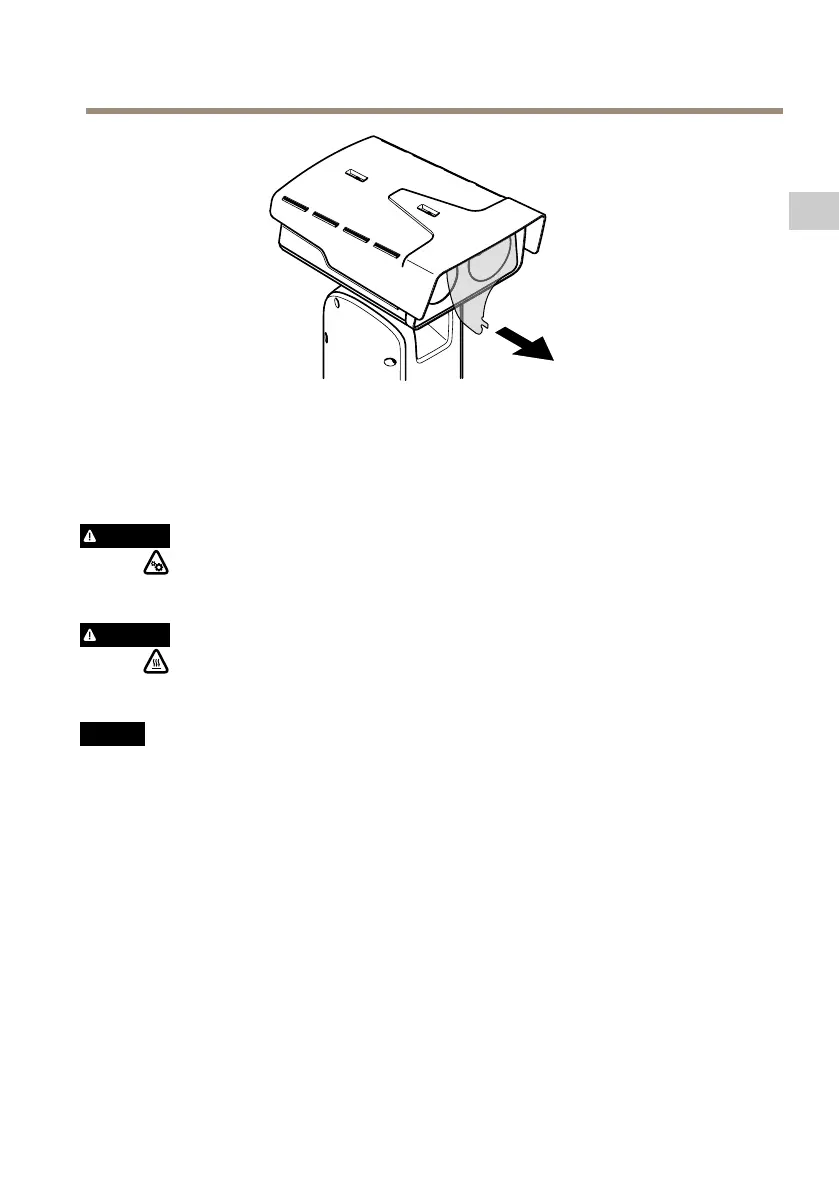
4.Removetheprotectivecover.
5.Applypowertotheproduct.
Removetopcover
CAUTION
Riskofinjury.Movingparts.Keepyourbodypartsawayfromtheproductwhenin
operation.Disconnectfrompowersupplybeforeinstallingorperformingmaintenance
ontheproduct.
CAUTION
Riskofinjury.Hotsurface.Donottouchtheproductwheninoperation.Disconnect
frompowersupplyandallowthesurfacestocoolbeforeperformingmaintenanceon
theproduct.
NO NO
NO
TICE TICE
TICE
Whenyouremovethetopcoveryouexposepartsofthevisualcamerathataresensitive
toimpact.Makesureyoudon’thittheunprotectedcamerawiththetopcoverwhen
youremoveit.
ToinsertanSDcardorresettofactorydefault,removethetopcover:
19
EN



 To Next Page