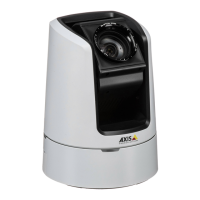
AXISV5925PTZNetworkCamera
Configureyourdevice
5.Tochangethecolorforallprivacymasks,clickPrivacymasksandselectacolor.
Seealso
Showanimageoverlay
Youcanaddanimageasanoverlayinthevideostream.
1.GotoVideo>Overlays.
2.SelectImageandclick.
3.ClickImages.
4.Draganddropanimage.
5.ClickUpload.
6.ClickManageoverlay.
7.Selecttheimageandaposition.Youcanalsodragtheoverlayimageintheliveviewtochangetheposition.
Showatextoverlay
Youcanaddatexteldasanoverlayinthevideostream.Thisisusefulforexamplewhenyouwanttodisplaythedate,timeora
companynameinthevideostream.
1.GotoVideo>Overlays.
2.SelectTextandclick
.
3.Typethetextyouwanttodisplayinthevideostream.
4.Selectaposition.Youcanalsodragtheoverlaytexteldintheliveviewtochangetheposition.
Showthepanortiltpositionasatextoverlay
Youcanshowthepanortiltpositionasanoverlayintheimage.
1.GotoVideo>Overlaysandclick
.
2.Inthetexteld,type#xtoshowthepanposition.
Type#ytoshowthetiltposition.
3.Chooseappearance,textsize,andalignment.
4.Thecurrentpanandtiltpositionsshowupintheliveviewimageandintherecording.
Adjustthecameraview(PTZ)
Limitthepan,tilt,andzoommovements
Iftherearepartsofthescenethatyoudon’twantthecameratoreach,youcanlimitthepan,tilt,andzoommovements.For
example,youwanttoprotecttheprivacyofresidentsinanapartmentbuilding,whichislocatedclosetoaparkinglotthatyou
intendtomonitor.
Tolimitthemovements:
11


 To Next Page