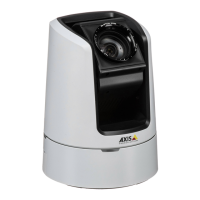
AXISV5925PTZNetworkCamera
Specifications
MicrophonepowerLEDIndication
UnlitPhantompoweroff.
BluePhantompoweron.
Note
•ThetallyLED(indicationLED)onlyindicatesnetworktransmission.IfvideooraudioisonlytransmittedthroughHDMI
orSDIthetallyLEDwillbeunlit.
TallyLEDIndication
Unlit
Cameraidle.
RedActivenetworktransmissionorrecording.
SDcardslot
NO NO
NO
TICE TICE
TICE
•RiskofdamagetoSDcard.Don’tusesharptools,metalobjects,orexcessiveforcewheninsertingorremovingtheSDcard.
Useyourngerstoinsertandremovethecard.
•Riskofdatalossandcorruptedrecordings.UnmounttheSDcardfromthedevice’swebinterfacebeforeremovingit.
Don’tremovetheSDcardwhiletheproductisrunning.
ThisdevicesupportsSD/SDHC/SDXCcards.
ForSDcardrecommendations,seeaxis.com.
SD,SDHC,andSDXCLogosaretrademarksofSD-3CLLC.SD,SDHCandSDXCaretrademarksorregistered
trademarksofSD-3C,LLCintheUnitedStates,othercountriesorboth.
Buttons
Controlbutton
Thecontrolbuttonisusedfor:
•Resettingtheproducttofactorydefaultsettings.SeeResettofactorydefaultsettingsonpage72.
•ConnectingtoanAXISVideoHostingSystemservice.Toconnect,pressandholdthebuttonforabout3secondsuntilthe
statusLEDashesgreen.
Connectors
BNCconnector
TheBNCconnectorisusedforconnectingbroadcastequipmentusingSDI.Connecta75OhmcoaxialSDIcable.
CAUTION
Theconnectormaybehotduringnormaloperationinelevatedambienttemperatures.
HDMIconnector
UsetheHDMI
TM
connectortoconnectadisplayorpublicviewmonitor.
67


 To Next Page