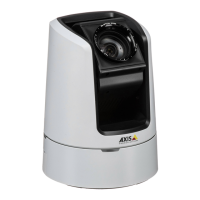
AXISV5925PTZNetworkCamera
Thedeviceinterface
Audiositesecurity
CAcerticate:SelectthecerticatetousewhenyouadddevicestotheaudiositewhenTLSauthenticationisenabledin
AXISAudioManagerEdge.
Save:Clicktoactivateandsaveyourselection.
Speakertest
Youcanusethespeakertesttoverifyfromaremotelocationthatthespeakerworksasintended.
Calibrate:Clicktocalibratethespeakerbeforeyoutestitforthersttime.Duringcalibration,thespeakerplaysaseries
oftesttonesthatareregisteredbythebuilt-inmicrophone.Whenyoucalibratethespeaker,itmustbeinstalledinit’snal
position.Ifyoumovethespeakerlateron,orifit’ssurroundingschange,forexampleifawallisbuiltorremoved,youneed
torecalibratethespeaker.
Runthetest:Clicktoplaythesameseriesoftesttonesthatwereplayedduringcalibration,andcomparethemwiththe
registeredvaluesfromthecalibration.
Recordings
Ongoingrecordings:Showallongoingrecordingsonthecamera.
Selecttostartarecordingonthecamera.
Choosewhichstoragedevicetosaveto.
Selecttostoparecordingonthecamera.
Triggeredrecordingswillendbothwhenmanuallystoppedandwhenthecameraisshutdown.
Continuousrecordingswillcontinueuntilmanuallystopped.Evenifthecameraisshutdown,therecordingwillcontinue
whenthecamerastartsupagain.
Clicktoplaytherecording.
Clicktostopplayingtherecording.
Clicktoshowmoreinformationandoptionsabouttherecording.
Setexportrange:Ifyouonlywanttoexportpartoftherecording,enterfromwhentowhen.
Clicktodeletetherecording.
Export:Clicktoexport(partof)therecording.
39


 To Next Page