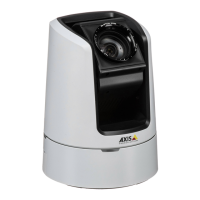
AXISV5925PTZNetworkCamera
Configureyourdevice
2.Makesureyouhavesetuptheapplicationaccordingtoyourneeds.
Addtheoverlaytext:
1.GotoVideo>Overlays.
2.UnderOverlays,selectTextandclick
.
3.Enter#Dinthetexteld.
4.Choosetextsizeandappearance.
5.Topositionthetextoverlay,click
andselectanoption.
Createarule:
1.GotoSystem>Eventsandaddarule.
2.Typeanamefortherule.
3.Inthelistofactions,underOverlaytext,selectUseoverlaytext.
4.Selectavideochannel.
5.InText,type“Motiondetected”.
6.Settheduration.
7.ClickSave.
RecordvideowhenaPIRdetectorsensesmotion
ThisexampleexplainshowtoconnectaPIRdetector(normallyclosed)tothedevice,andtostartrecordingvideowhenthedetector
sensesmotion.
Requiredhardware
•3-wirecable(ground,power,I/O)
•PIRdetector,normallyclosed
NO NO
NO
TICE TICE
TICE
Disconnectthedevicefrompowerbeforeconnectingthewires.Reconnecttopowerafterallconnectionsaredone.
Connectthewirestothedevice’sI/Oconnector
Note
ForinformationontheI/Oconnector,seeConnectorsonpage67.
1.Connectthegroundwiretopin1(GND/-).
2.Connectthepowerwiretopin2(12VDCoutput).
3.ConnecttheI/Owiretopin3(I/Oinput).
ConnectthewirestothePIRdetector’sI/Oconnector
16


 To Next Page