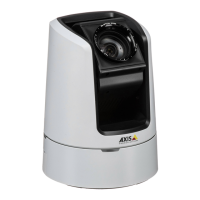
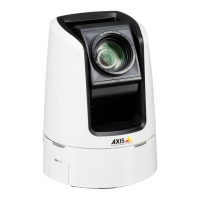
AXISV5925PTZNetworkCamera
Thedeviceinterface
OSDIzones
On-screendirectionindicator(OSDI)givesinformationofthedirectionthecameraispointingatinthetextoverlay.Thecamera
usesthecoordinatesofthecenteroftheimagewhenyousetthelowerleftandupperrightzonearea.
CreateOSDIzone:ClicktocreateanOSDIzone.
•Name:Enteranameforthezone.
•Active:Turnontodisplaythezoneintheliveview.
•Zonelimits
-
:Navigatetoyourdesiredposition,andclicktheicontosetthelowerleftpointofthezone.Click
againtounsetthelowerleftpoint.
-
:Navigatetoyourdesiredposition,andclicktheicontosettheupperrightpointofthezone.Click
againtounsettheupperrightpoint.
-Goto:Clicktogotothelowerleftpointortheupperrightpointofthezone.
Thecontextmenucontains:
•Createmultiplezones:Clicktocreatemultiplezones.Enteranameforthezone,andspecifythecoordinates
forlowerleftandupperrightofthezone.
-Addzonecoordinates:Clicktospecifytheparametersforanotherzone.
•Deleteallzones:Clicktodeleteallzones.
Orientationaid
Orientationaid:Turnontoactivateoverlaysofuser-denedpointsofinterestatthecorrectbearinganda2D-compass
synchronizedtothecamerasmovements,includingaeldofview.
Direction
•Setnorth:Positionthecameraatnorth,andclickSetnorth.
Presetpositions:Selectthepresetpositionsusedfororientationaid.
•Toselectanindividualpresetposition,clickthepresetposition.
•Toselectallpresetpositions,click
.
Gatekeeper
Agatekeepermonitorsanareasuchasanentrancegate.Whenmotionisdetectedinthemonitoredarea,thegatekeepersteers
thecameratoaselectedpresetposition.Usingazoomed-inpresetpositioncanmakeitpossibleto,forexample,readalicense
plateoridentifyaperson.Whenmotionisnolongerdetected,thecamerareturnstoitshomepositionafteradenedtime.
Controlqueue
Usercontrolqueue
•PTZcontrolqueue:TurnontoplacePTZcontrolrequestsinaqueue.Thisdisplaystheusersstatusandpositioninthe
queue.TousethePTZcontrolsinAXISCameraStation,turnoffthissetting.
-Enterqueue:ClicktoaddyourrequestforPTZcontroltothequeue.
-Releasecontrol:ClicktoreleasethePTZcontrol.
•Theusergroupsarelistedinaprioritizedorderwiththehighestpriorityontop.Tochangethepriorityofauser
group,click
anddragtheusergroupupordown.
Foreachusergroup:
-Timeoutduration:Settheamountoftimetowaitbeforetimeout.Thedefaultvalueis1minute,and
allowedvaluesarefrom1secondto60minutes.
36


 To Next Page