www.axxessid.com
Installation & User Guide
AX200 Installation & User Guide – July 2007
63
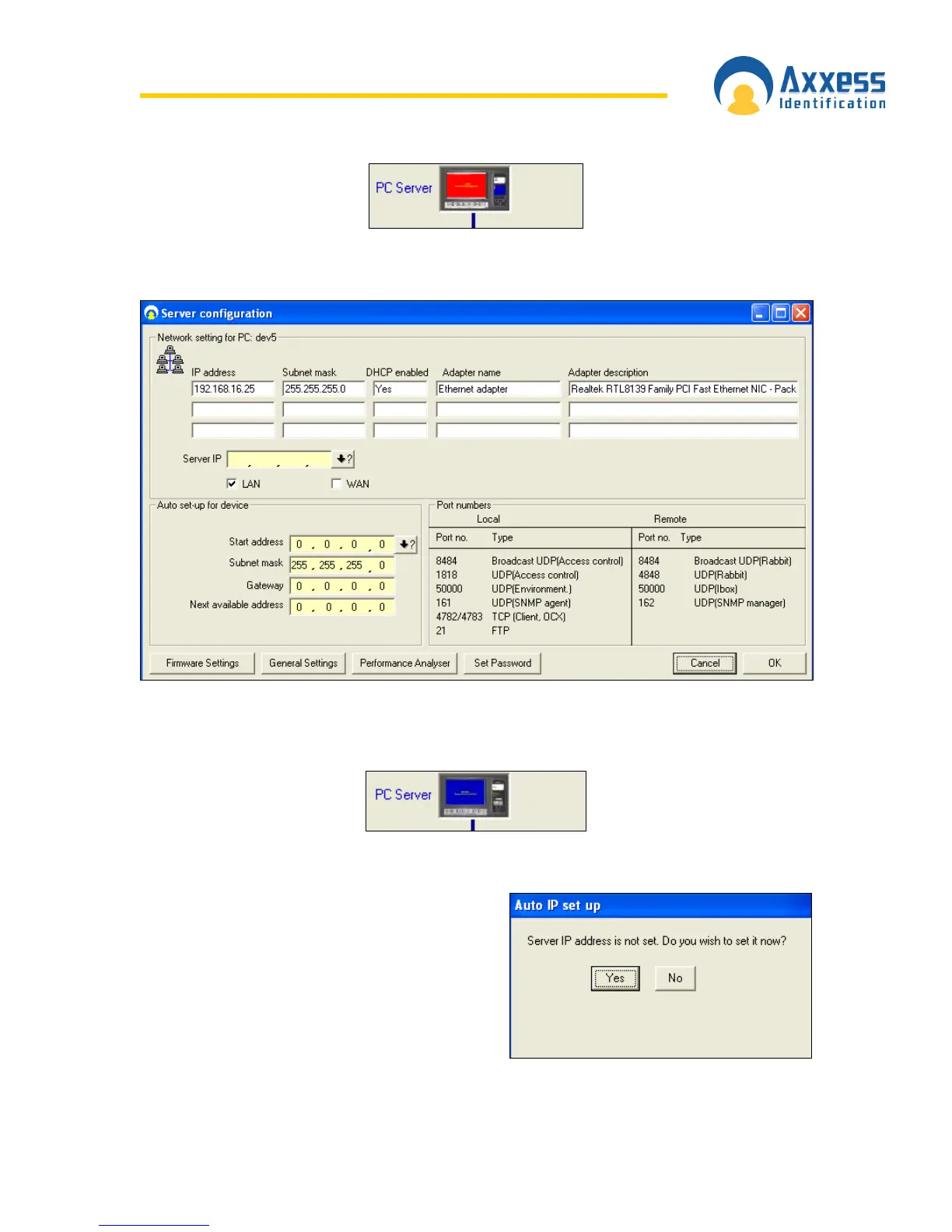
So if the PC server icon is red open the server configuration window by double clicking on the
icon.
If the Server IP field is blank or contains a number which is different from the IP address of your
PC click on the •? Button. The software will automatically obtain the correct IP address of your
PC. When you’re done click OK. The PC server icon should now be blue.
Automatic IP Setup
The IP address of the server stored in the database
is automatically checked against the IP address of
the PC every time the application is restarted. If the
IP address has not been set, the software will notify
the user by displaying a message box asking if
they want to obtain the correct IP address.


 To Next Page
 Loading...