EasyManua.ls Logo

B. Braun Vista basic - Page 54

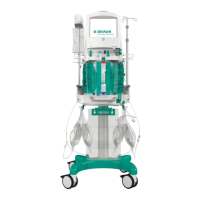
B. Braun Vista basic
55 pages
Print Icon
To Next Page IconTo Next Page
To Previous Page IconTo Previous Page
Loading...
Unit
Elements
b)
Placethe
Vista
basic
without
mains
lead
and
drop
sensor
and
the
service
plug
inserted
horizontally
(front
facing
upwards)
in
the
cellular
packing
of
the
calibration
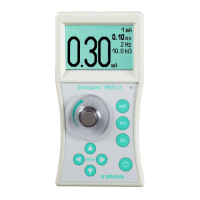
device.
©
Call
function
500
in
the
service
program
(see
Sensor Function
316.0"
pg.
d)
Activate
the
calibration
function
with
"Align".
e)
Select
calibration
value
low
"1"
by
pressing
">>".
f)
Open
the
pump
cover,
9
Fasten
the
holders
for
the
calibration
weights
under
the
pump
cover and
let
snap
in
at
the
locking
bow.
h}
:
Position
weight
1
{100
g}
for
calibration
value
low
"1"
(1.04
N)
carefully
on
the
occlusion
sensor.
The
weight
must
be
placed
without
any
friction
in
the
holder.
i)
|
Acknowledge
calibration
value
low
"1"
with
">>"
andset
calibration
value
high
"2"
with
weight
3
(1669).
j)
Acknowledge
calibration
value
high
"2"
by
pressing
">>"
and
remove
weight.
k)
Acknowledge
calibration
value
"3”
"Zero
point” with
.
"Yes".
»
Remove
the
holder.
Note
о
If
the
calibration
values
are
known
the
values
can
also
be
entered
manually.
m)
Call
function
500
in
the service
program
(see
“Occlusion
Sensor
Function
$00.0"
pg.
3-10},
n)
Open
the
data
entry
window
with
"yes".
o)
Select
Calibration
value
low
"1"
and
Calibration
value
high
"2"
by
pressing
“<<"
and
“>>”.
Enter
the
calibration
values
via
the
keypad
and
acknowledge
with
“yes”.
p)
Quit
function
in
the
service
program
and
save
data.
q)
Register
the
changed
pressure
values
in
the
unit
book.
n
Check
the
electronic
occlusion
pressure
{see
“Electronic
Occlusion
Pressure
(Occlusion
Sensor)”
pg.
8-3).
11.
Quit
function
in
the
service
program
and
save
data.
12.
Check
the
electronic
occlusion
pressure
(see
"Electronic
Oc-
clusion
Pressure
(Occlusion
Sensor)”
pg.
8-3).
Check
4
Safety
check,
functional
check.
4-16
Vista
basic
950971
Rev
À
(5/04)

Other manuals for B. Braun Vista basic

Related product manuals