4 Design and Construction
14 DHV0053 b2 EN
© b2electronic gmbh
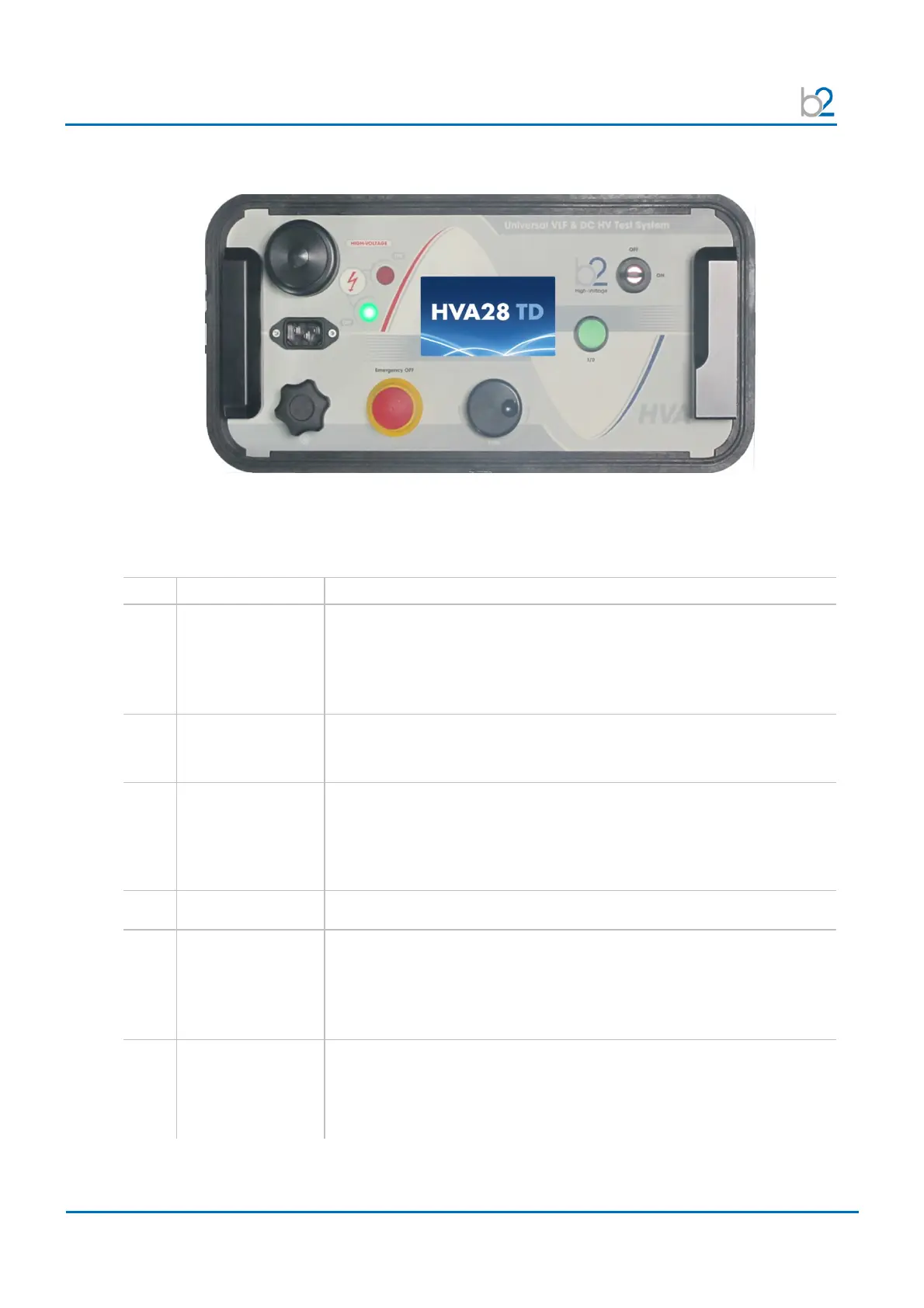
Switches and Controls
Pos.
Name Description
1 Emergency OFF Activates emergency shutdown.
Operation is only possible when Emergency OFF is deactivated.
• To Activate Emergency Off Press in
• To Deactivate Emergency Off Release latch and rotate
2 LED green Indicates HV status.
Green light indicates High Voltage is OFF
3 LED red Indicates HV status.
Red light indicates High Voltage is ON (possible DANGER)
DUT not discharged
(residual voltage >100V)
4 Display screen Displays menu, options and status information.
5 Navigation knob Enables user to select options and functions shown on display.
See 4.2 User Interface
• To scroll selection up or down Rotate
• To enter selection Click (push in)
6 HV switch [on/off] Activates high voltage.
• To activate HV outputPress within 10 seconds after START
See 5.2 Manual Test Procedure
See 5.3 Automatic Test Procedure
1
2
3
4
5
6
7
8
9
10
11
12
13



 To Next Page