6 Tangens Delta
60 DHV0053 b2 EN
© b2electronic gmbh
Step 3-B: Setting up a TD Communication Port (Windows
Supported)
If your Windows operating System already supports your Bluetooth Hardware
you can use the Windows Bluetooth System instead of a separate driver to set
up the communication.
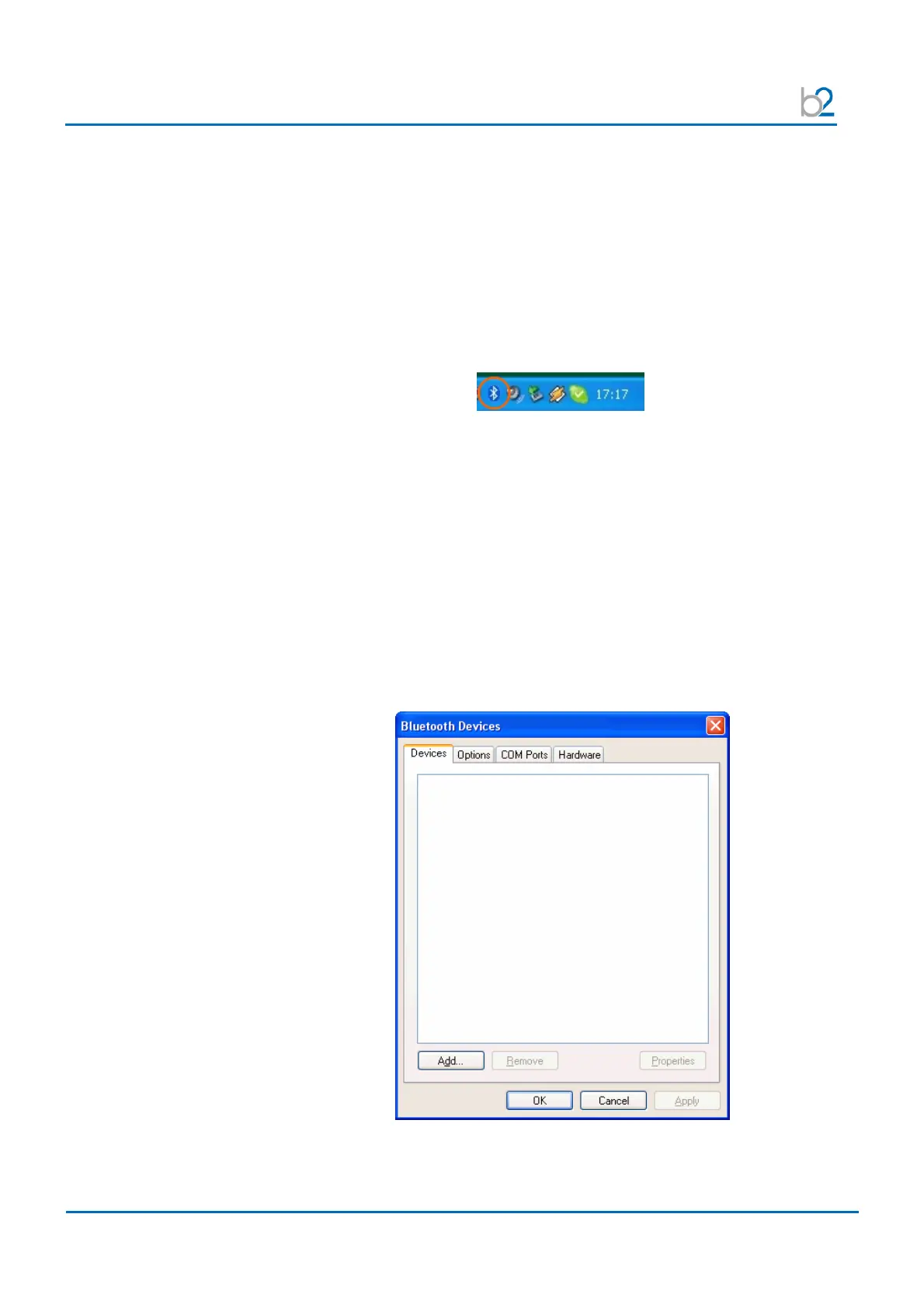
Windows shows you the Bluetooth icon in the System Tray on the right bottom
side of your desktop. This gives you access to all Bluetooth specific properties
and configurations.
Switch on the TD system
Before connecting reset the TD System by switching the main power switch off
and on.
Make sure the TD system is within the range of 50 feet / 15 meters to the
computer. Internal integrated Bluetooth devices often have closer working
ranges than external. So you maybe have to reduce the distance to get good
connectivity.
Setup the Communication Port
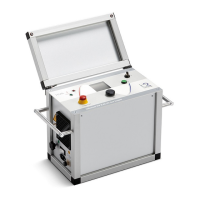
Start to set up and allocate a communication port to the TD system by double-
clicking on the Bluetooth icon in the system tray.
Bluetooth Devices, press Add to start


 To Next Page