EasyManua.ls Logo

B2 HVA34 - Page 43

B2 HVA34
69 pages
Print Icon
To Next Page IconTo Next Page
To Previous Page IconTo Previous Page
Loading...
5
Test Procedure
© b2 electronic GmbH
DHV0078 b2 EN
43
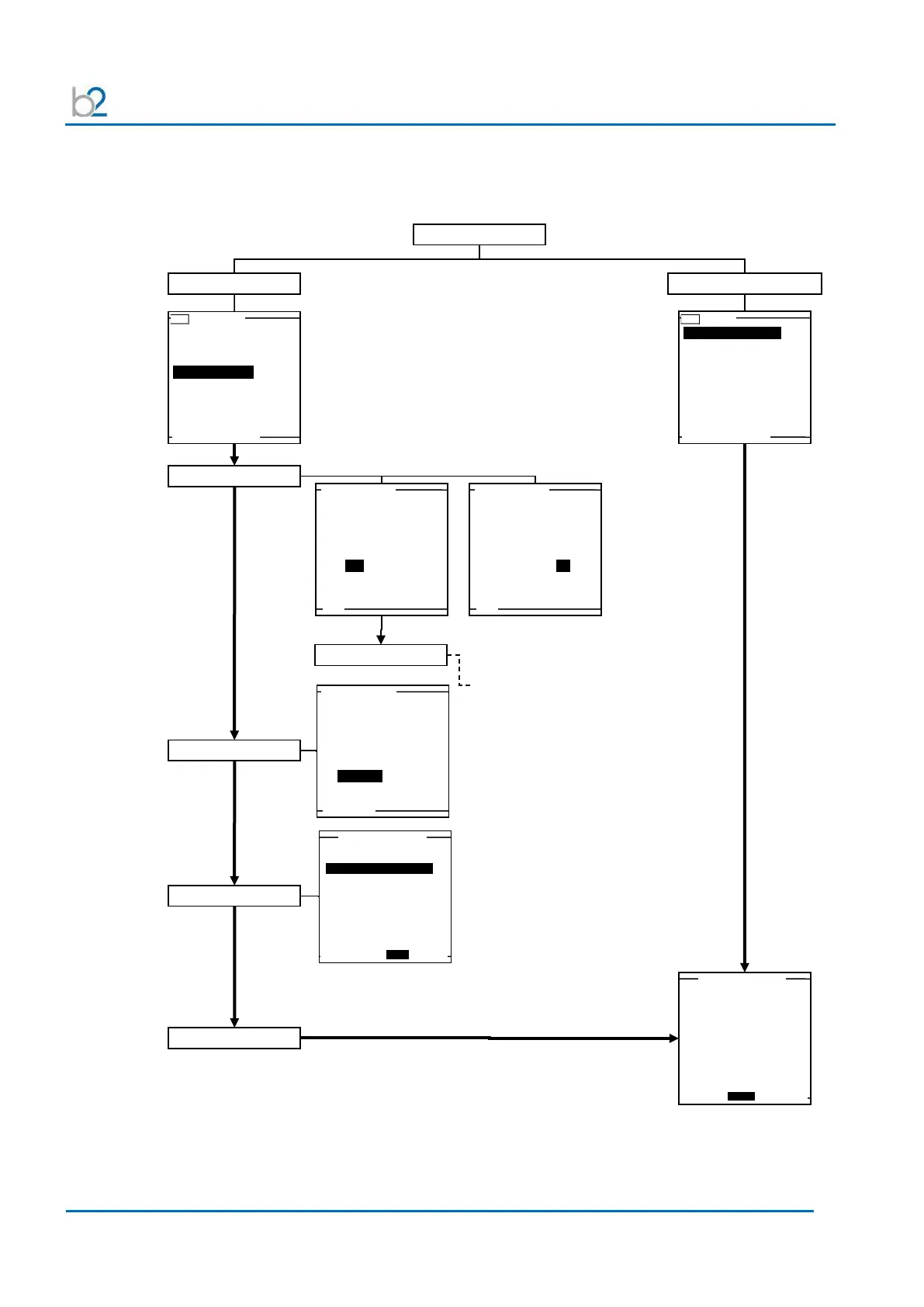
Running an automatic test – overview
Main Menu
USB - Main Menu
Use Last Test Seq.?
3.0kV Maint. C. HYBR (T)
Start a New
Test
Manual Mode
Reports & Setup
13.3.2009 10:23
Start a New Test
Use Last Test Seq.
USB - Main
Use Last Test Seq.?
1.0kV Maint. C. XLPE (T)
Start a New Test
Manual Mode
Reports & Setup
13.3.2009 10:23
Start a New Test
Do you want to
store a report?
Yes No
MAIN
Start a New Test
Do you want to
store a report?
Yes No
MAIN
Report?
Setup Report
HVA guides user through series of questions.(See section 6):
DUT type
Voltage rating
(Cable) insulation
Report title…
Select Sequence
Test Mode?
Use an existing
auto test sequence
or use manual mode?
Auto Seq. Manual
MAIN PREV
Start a New Test
Select Auto Test Seq.
3.0kV Maint. C. HYBR (T)
1.0kV Maint. C. XLPE (T)
BACK SELECT NEXT
Start Auto Test Seq.
1.0 kV Cable XPLE
Maintenance test sequence
Test Voltage: 1.0
kV rms
Duration: 15 min
Waveform:
sine 0.1Hz
Trip out on
Reporting active
MAIN BACK START
Start Auto Test

Related product manuals