Test Procedure
Running an automatic test – detailed steps
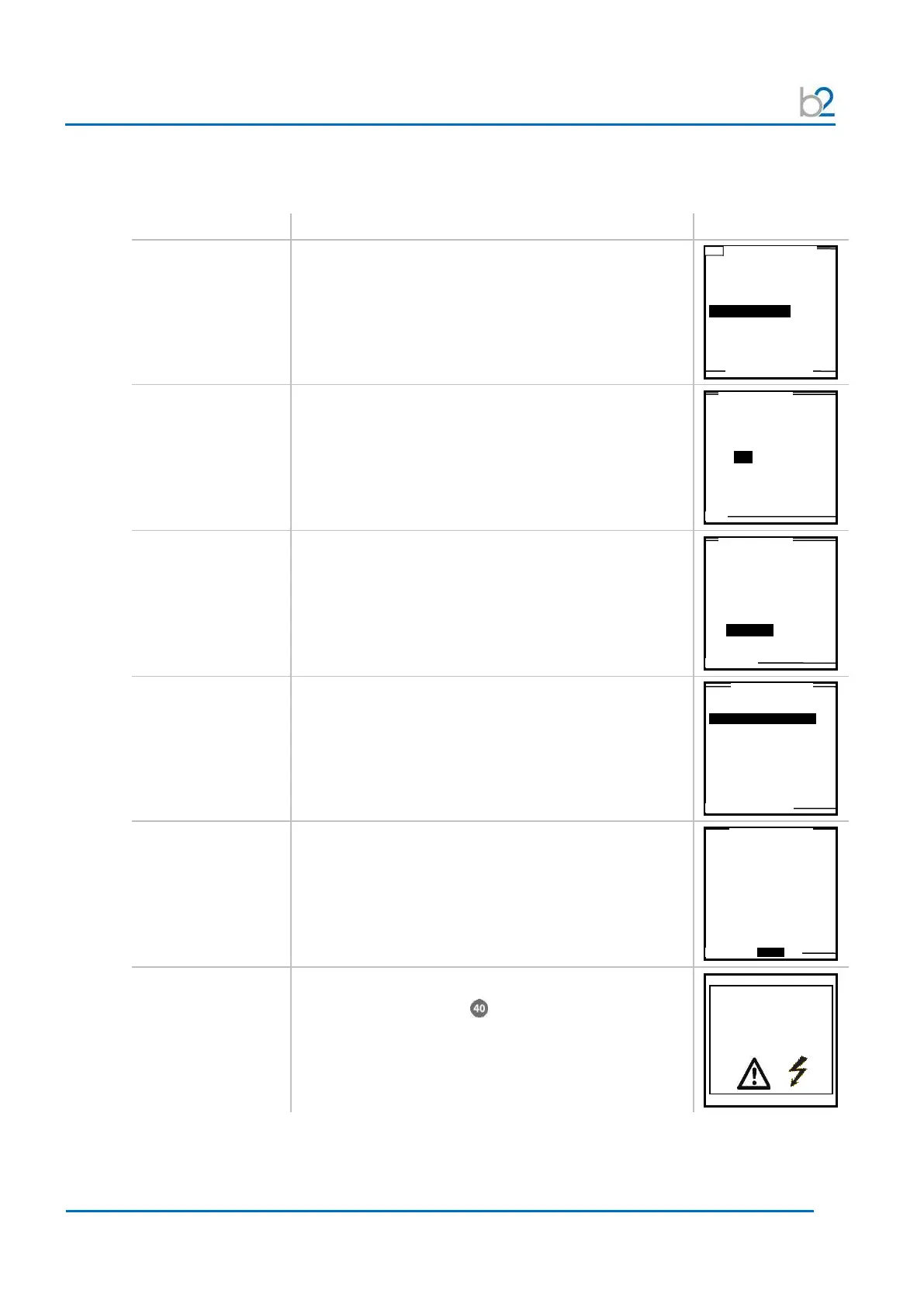
Steps AR1-AR9 describe how to run a test in the automatic mode.
Step Procedure (run automatic test) Example
AR1:
Use Last Seq. or
Start New Test
To repeat the previous test sequence:
• Select “Use Last Test Sequence” from “Main Menu”
• Proceed to step AR5
Otherwise, select:
• “Start a new Test”
AR2:
De-/activate
Reporting
To activate reporting:
• Select “YES”, See 6 – Reporting
To conduct a test without generating a report:
• Select “NO”
AR3:
(If Reporting
active: this step
follows report
setup completion)
To run an test sequence:
• Select “Auto Seq”
AR4:
Select sequence
• Select the appropriate test sequence
• To continue, select “NEXT”
AR5:
Parameter
verification
• Verify that the selected sequence defines the
correct test parameters
To run the auto test sequence:
• Select “START” from the bottom of the screen
AR6:
HV activation
Once the activation screen appears,
• Press the HV switch within 10 seconds.
If the HV switch is not activated within the 10-second
window, the “Start Auto Test Seq.” screen will reappear.
Use Last Test Seq.?
3.0kV Maint. C. HYBR (T)
Start a New Test
store a report?
Yes No
Auto Test Sequence
or use Manual Mode?
Auto Seq. Manual
3.0kV Maint. C. HYBR (T)
1.0kV Maint. C. XLPE (T)
Maintenance Test Sequence
High Voltage!
Press I/O Button to
switch ON High Voltage



 To Next Page