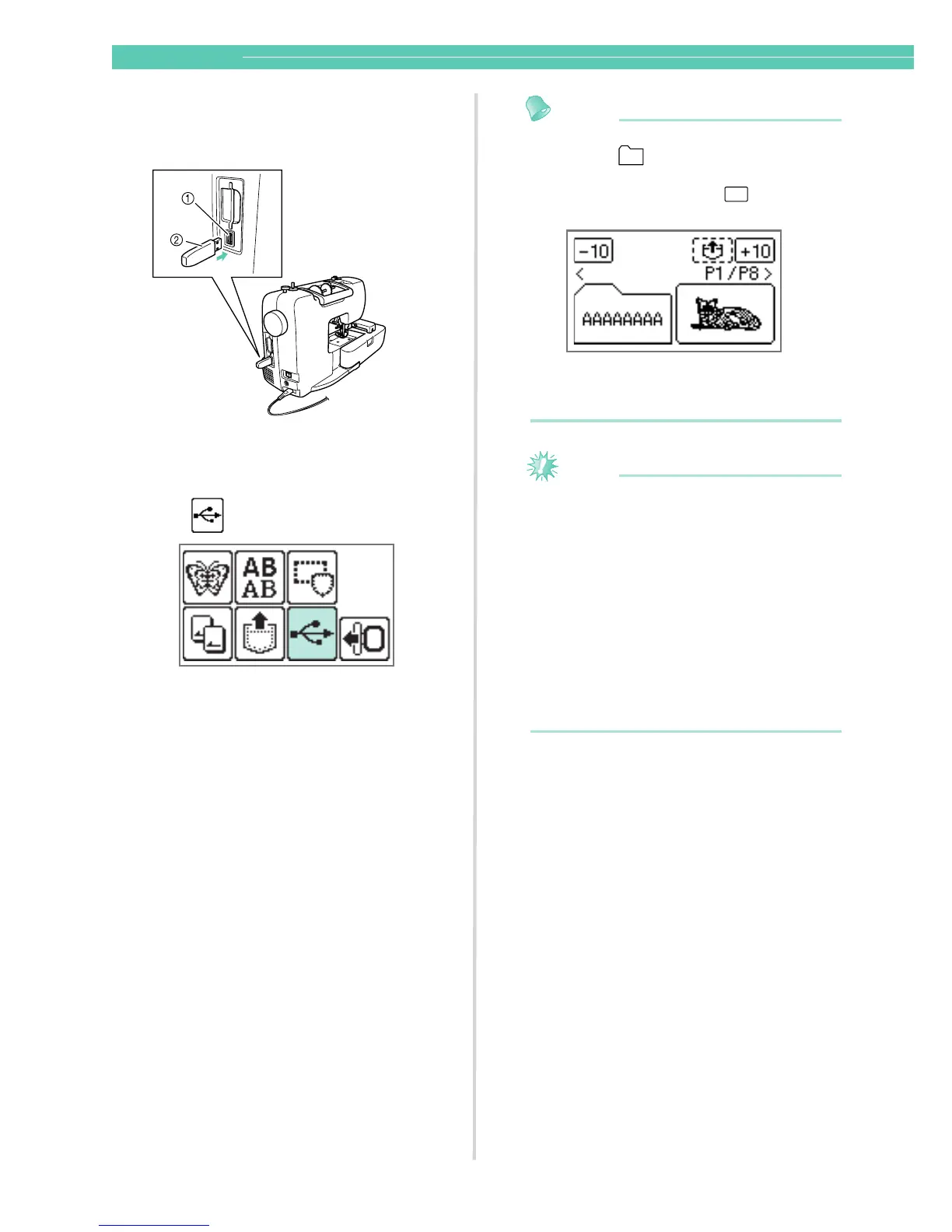
Press .
X Folders and/or pattern files on the USB
media are displayed.
Memo
z Names of folders are displayed first in the
shape of in the alphabetical order,
then .pes files and then .dst files are
displayed in the shape of in the
alphabetical order.
z .pes files are displayed in thumbnail-size
image, and .dst files are displayed by its
name, file format and file size.
Note
z If the message “Reduce the number of
patterns.” appears, the USB media may
contain either more than 200 patterns
(including folders) or the embroidery designs
may contain too many colors (although there
may be no more than 200 patterns).
In this case, unplug the USB media from the
machine, plug it back into the computer,
and then delete a few patterns at a time from
the USB media.
Close the error message on the machine,
and then repeat procedures starting from
step a.










 To Next Page