WWW.BALTIMOREAIRCOIL.COM
44
Forced Overnight Dry Mode
In most climates, the nightly temperature dips below the precool setpoint which causes
an automatic ‘dry cycle’ each day for a period of time. This increases the life of the Pre-
Cooler Pads. However, there are some climates where the nightly temperature stays above
the setpoint. To extend the life of the pads, the user can initiate a forced ‘dry cycle’ by
enabling the Forced Overnight Dry Mode in the EcoFlex™ Controls.
To enable the Forced Overnight Dry Mode in the EcoFlex™ Controls, set the Drain Duration
to a period of at least 240 minutes (4 hours) and ensure the Make-up Duration is less than
10 minutes. Lastly, set the Daily Drain time to a night-time hour. Refer to the EcoFlex™
Controls Appendix for details on menu navigation.
Software Verication for a pCO Controller
If a BAC Factory Technician is troubleshooting the controller/program over the phone, they
may ask for the software version. To provide them with the information, follow these steps
from the control panel screen:
• Press Prg.
• Scroll up/down and select the Technician menu. Then, press enter.
• Scroll up/down and select the Information menu. Then, press enter.
• The software version will be displayed along with other information.
Retrieval of Logged Data
When ordered, the energy usage can be retrieved from the datalog files using the USB
flash drive provided in the Customer Information Packet and the procedure below.
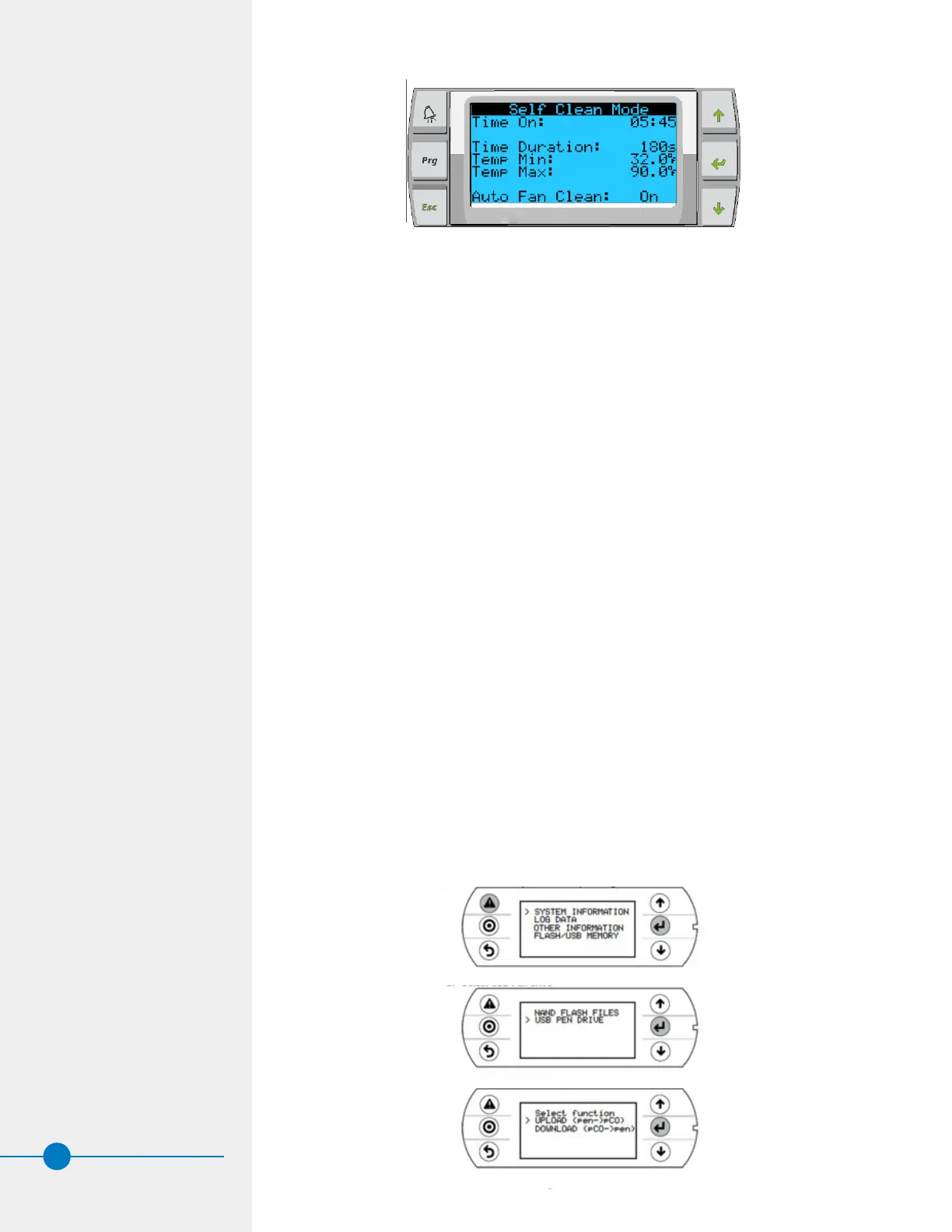
1. Plug the USB flash drive into the pCO controller and follow the steps shown below.
a. Enter in the system masks pressing Alarm+Enter for a few seconds.
b. Select USB Pen drive.
c. Select Flash/USB Memory then download (pCP -> pen).
d. Select download logs.
Figure 37. Self-Clean Cycle



 To Next Page