Page 35
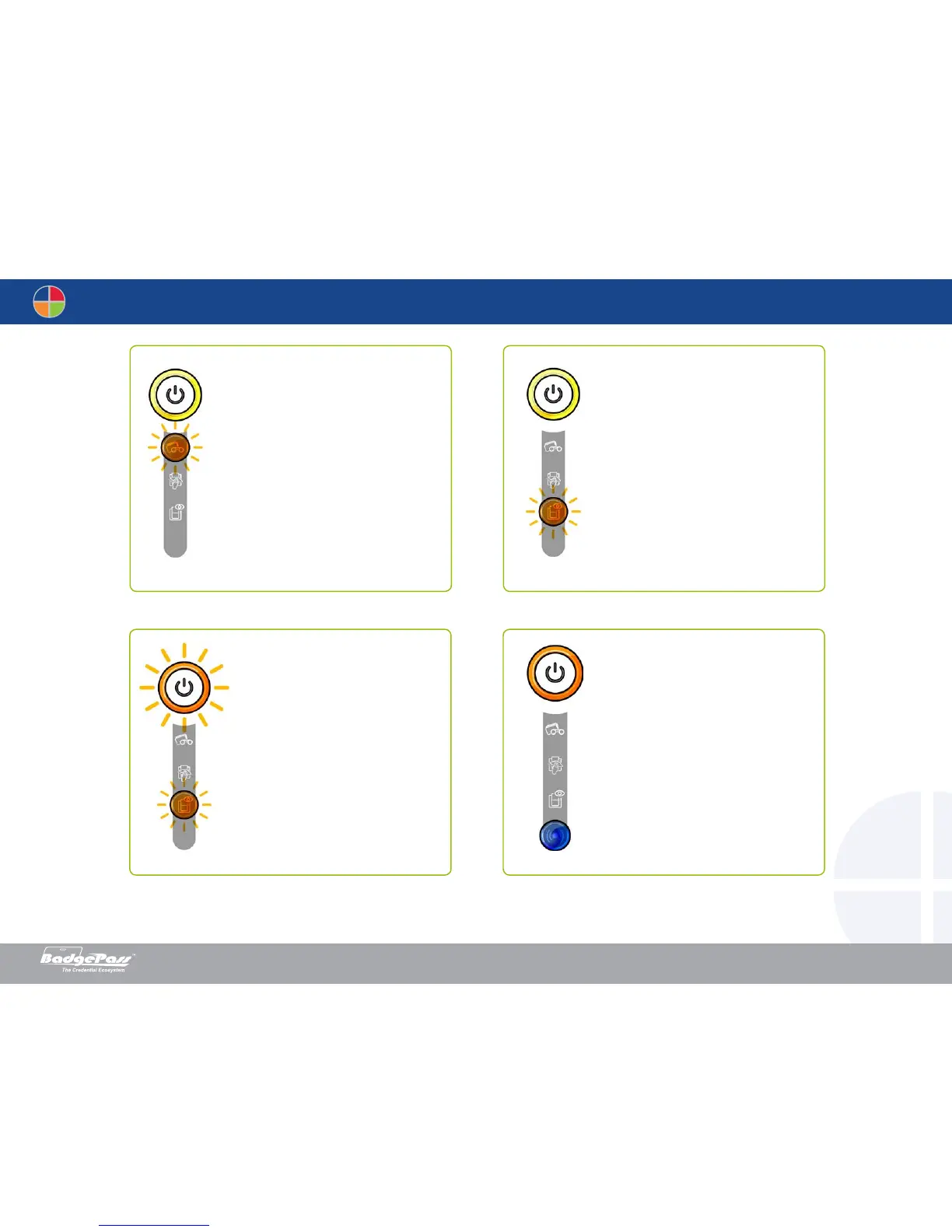
Wi-Fi IS ON (option)
• The wireless (Wi-Fi) connection
has been enabled.
You can start printing.
FIRMWARE UPDATE
• The printer is updating its Firm-
ware.
The printer restarts following
the update.
COOLING MODE
• The cooling system has been
activated.
The cooling system has been
activated.
WAITING FOR A CARD
TO BE INSERTED OR REMOVED
• The printer is waiting for a card to
be inserted or removed.
Insert a card or remove the card
from the manual feeder (see
section 1 - Getting started)
Document History
BadgePass NXT5000 USER GUIDE



 To Next Page