24
CUSTOMER MANUAL FRONT HUB MOTOR SYSTEM
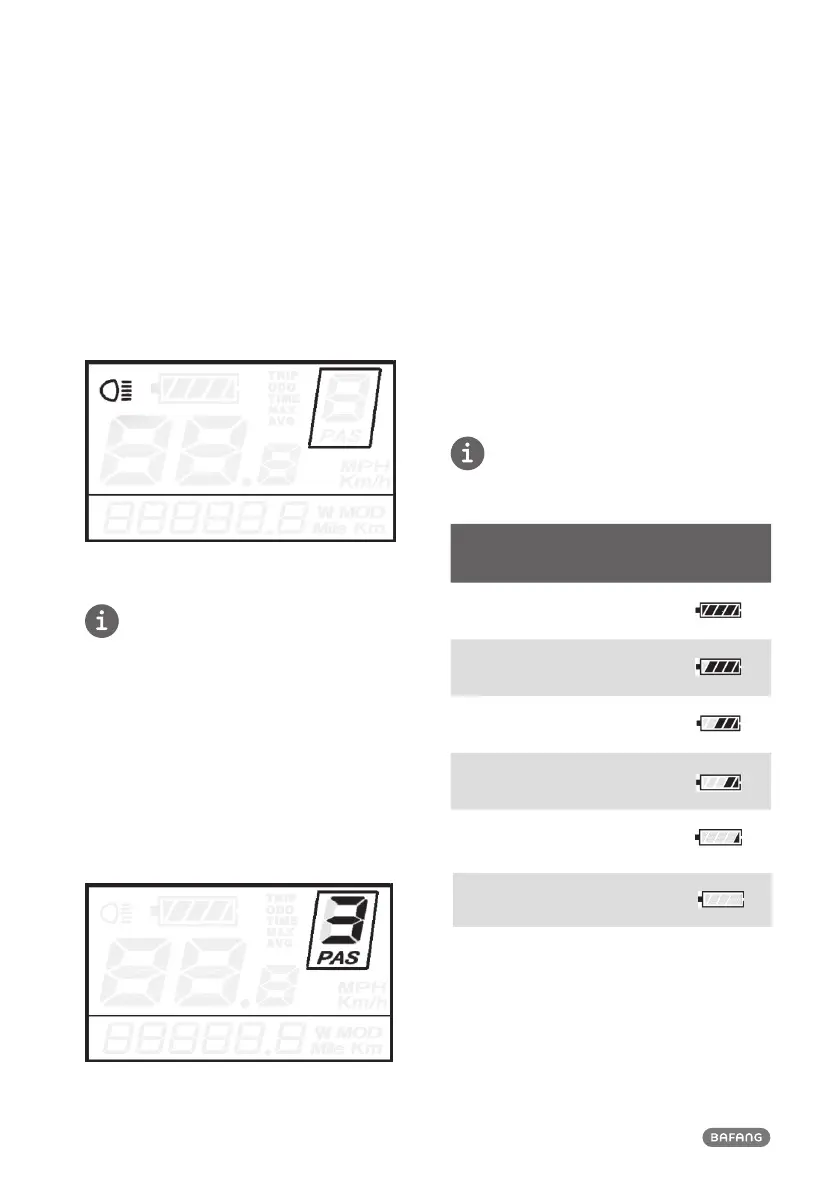
7.5.3 Light ON / OFF button
• To switch on the display's backlight and the
headlight of the Pedelec, hold the UP button
for 2 seconds.
• Repeat the process of holding the UP button
for 2 seconds, and the backlight and head-
light will be switched off.
Light / backlight interface
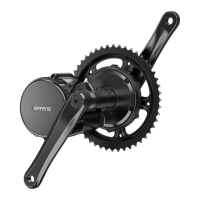
7.5.4 PAS level selection
The assistance level indicates the motor's
output power.
• The default value is level “1”.
• The default power ranges from level “0” to
level “5”.
• The output power is zero on level “0”.
• Level “1” is the minimum power.
• Level “5” is the maximum power.
• To change the assistance level, press the UP
or DOWN to increase or decrease until the
desired assistance level is displayed.
Assistance Level “3”
7.5.5 Clearing your Trip Distance
• To clear your trip distance, hold both the
MODE and the DOWN button for 2 seconds:
The Trip Distance will be reset.M
7.5.6 Clearing the Max speed,Average
Speed and trip time
• To clear the Max speed,Average Speed and
trip time,hold both the MODE and UP but-
ton for 2 seconds
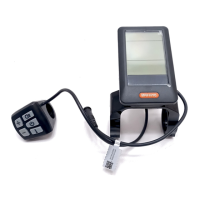
7.5.7 Battery Indicator
The 5 battery bars represent the state of charge
of the battery. When the battery is low, the
battery will flash to inform you that the battery
needs to be recharged immediately
Bars
State of charge –
Range
Example
5 bars ≥75%
4 bars 50≤C<75%
3 bars 30≤C<50%
2 bars 10≤C<30%
1 bar 5<C<10%
Frame
flickers
≤ 5 %
Battery Indicator


 To Next Page