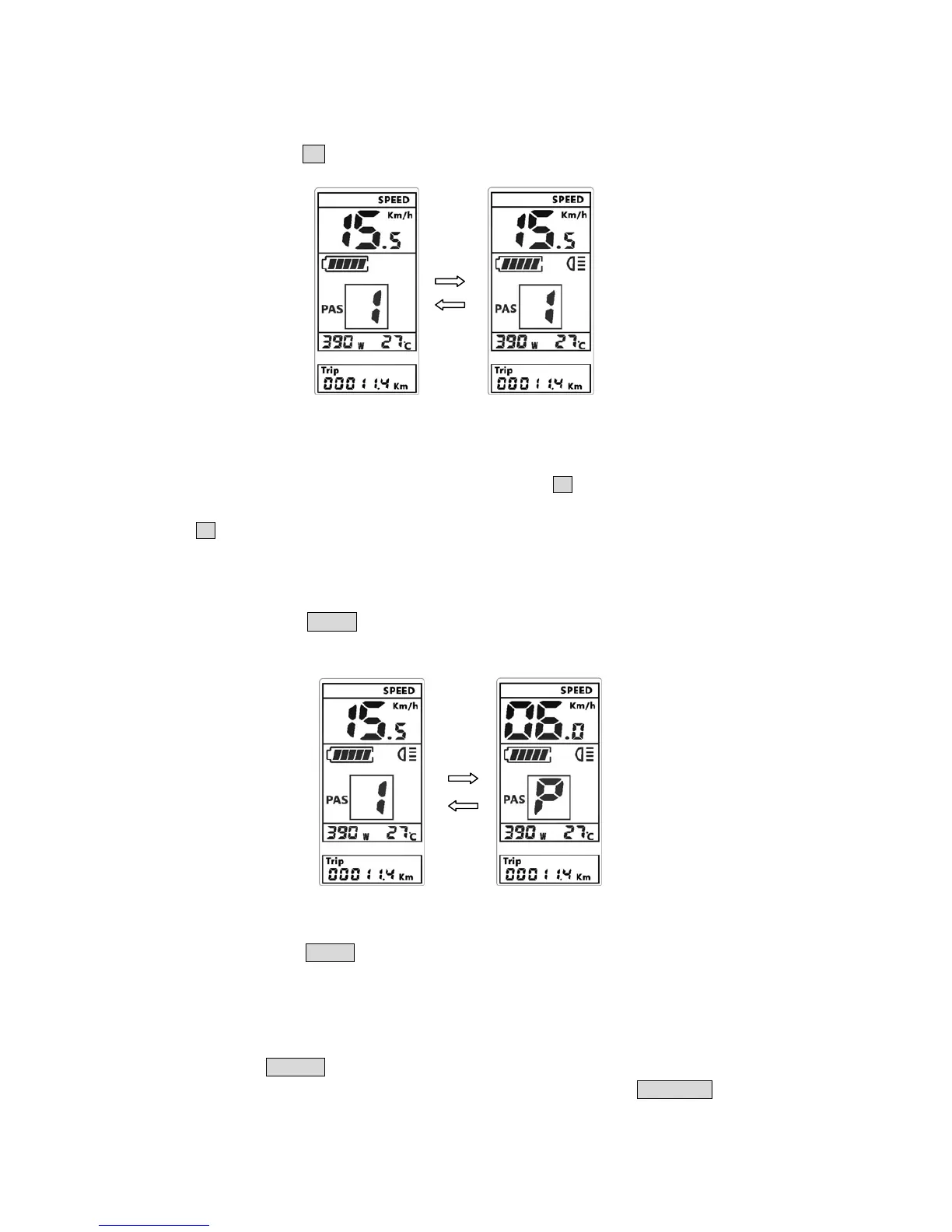
Press and hold
UP button for 1 seconds can turn on/off the headlight/backlight.
The motor does not work when the battery volt
age is low, display still can keep the
headlight on for a while when E-bike is in riding.
*
At the automatic light sensor mode, press and hold the UP button can turn on the backlight /
h
eadlights. If automatic light sensor had opened the backlight / headlight, press and hold the
UP
button can not turn it off. First you should turn off the automatic sensor mode in display
s
ettings, and then turn off the light manually.
7.6
6km walk
Press and h
old DOWN button for 1 seconds can get into 6km walk mode, out of the
mode whe
n release the button.
7.7
Data cleanup
Press and hold
RIGHT button for 1 seconds can cleanup the several temporary data,
the temporar
y data include AVG Speed / MAX Speed / Trip / Time.
8 Parameter
settings
Doubl
e press POWER button(press interval less than 0.3 second), the Display get into
p
arameter setting state, the current parameter flashing, short press UP/DOWN buttons to



 To Next Page