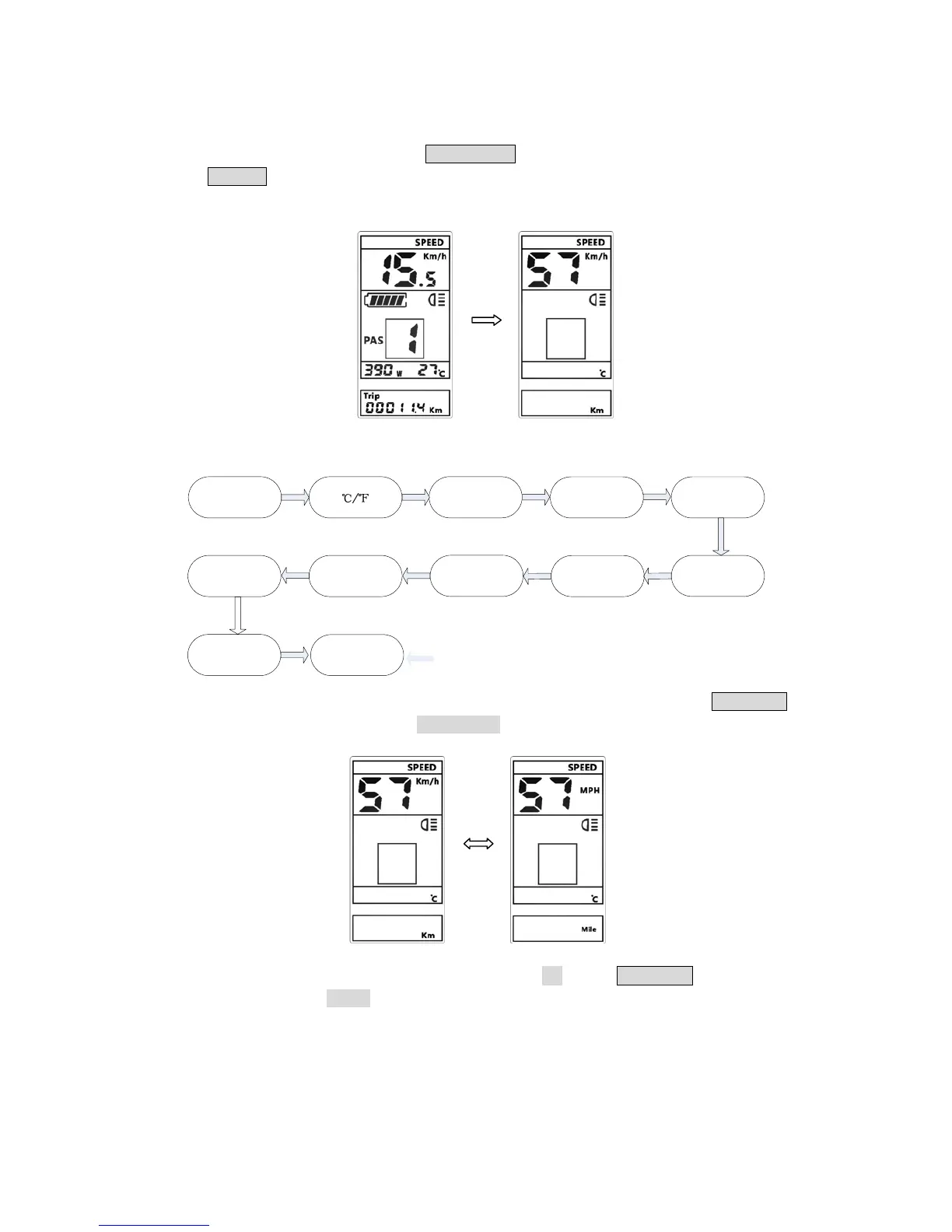
set
the parameter values, short press LEFT/RIGHT buttons to switch the parameters, short
press
POWER button to exit the parameter setting state. The display will automatically exit
the p
arameter setting state when there is no operation for 10 seconds.
The order of parameter settings are as follows
Kilometer/Mile
L
ight sensitve
Backlight
br
ightness
Buz
zer on/off
Auto off time
M
aintain remind
Wheel diameterVoltage set
Speed limit set
Power
display
Pa
ssword
8.1 Kilometer
/ Mile : The location of speed display symbol S7, press UP/DOWN
button rot
ate display the symbol km/h / MPH (Km / Mile).
8.2 ℃/℉
: the location of speed display symbol CF, press UP/DOWN button rotate
display the symbol ℃ / ℉.



 To Next Page